
Overview
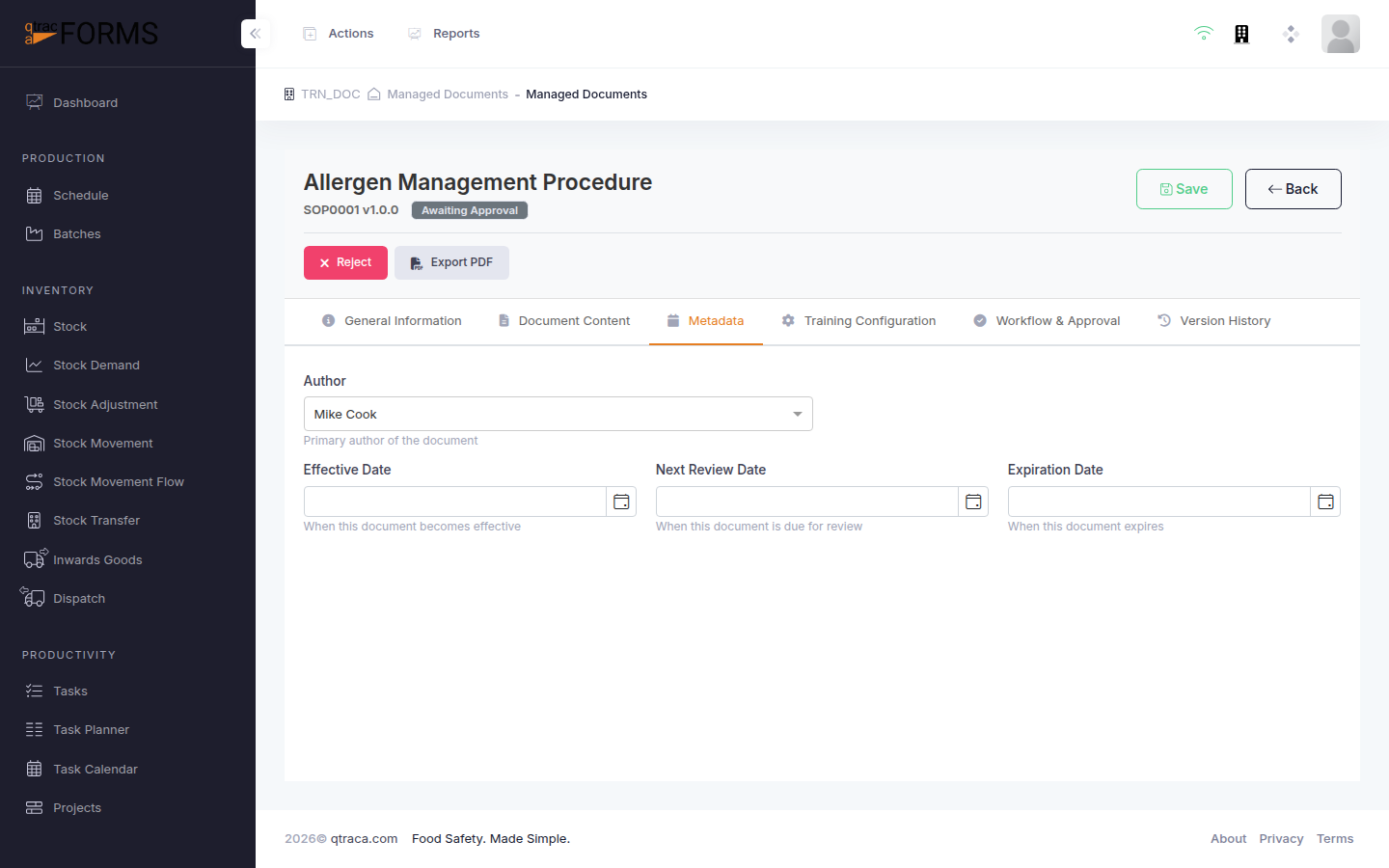
The Metadata tab allows you to set important document properties including the author, effective date, review schedule, and custom fields. Proper metadata ensures your documents are correctly attributed, easy to find, and reviewed on schedule.
Who can access this: Admin Quality Manager Document Manager
Navigation:
Navigation:
Metadata Fields
| Field | Description |
|---|---|
| Author | Select the document author from the list of users. This identifies who is responsible for the document content. |
| Effective Date | The date when the published document becomes effective. This is typically set during the approval or publishing process. |
| Review Due Date | The date by which the document should be reviewed. Set this based on your organisation's document review schedule (e.g., annually). |
| Expiry Date | Optional. If the document has a defined expiry, set it here. The system will flag documents approaching expiry. |
| Keywords / Tags | Add keywords to make the document easier to find in search. |
Step-by-Step Instructions
Open the document you want to update and click the Metadata tab.
Select an Author from the dropdown. This should be the person responsible for the document content.
Set the Review Due Date to schedule the next review. QTRACA will notify the author when the review date approaches.
Click Save to apply your changes.
Tip: Set review due dates consistently across your document library — for example, all SOPs reviewed annually, policies every two years. This makes compliance audits much simpler.