
The datalog feature allows the sensor to record temperatures even when not connected to a gateway. This feature allows you to recover temperatures if there is an issue with the gateway or loss in internet signal. Once reconnected to the network temperatures will automatically be synchronised to QTRACA.
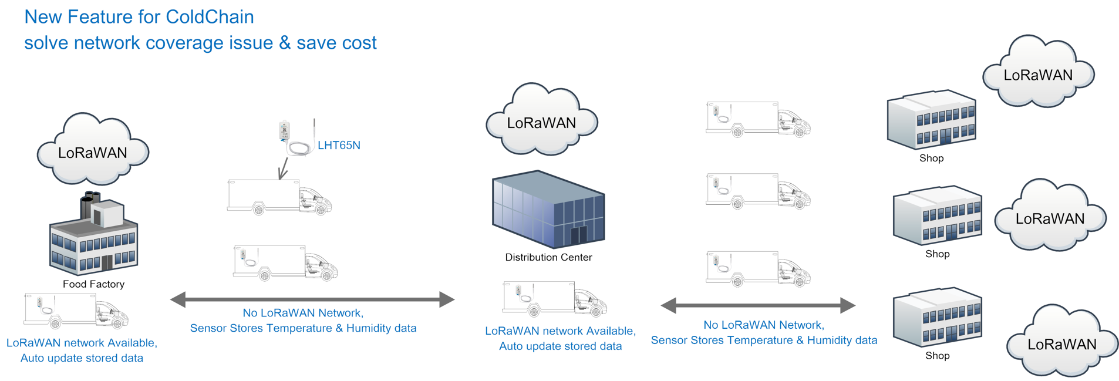
It may also be used to maintain records accross cold chain as follows:
To switch the datalog feature on log into Chirpstack and in your QTRACA tenant go to:
Applications --> QTRACA --> Devices
Select your device by clicking on it.
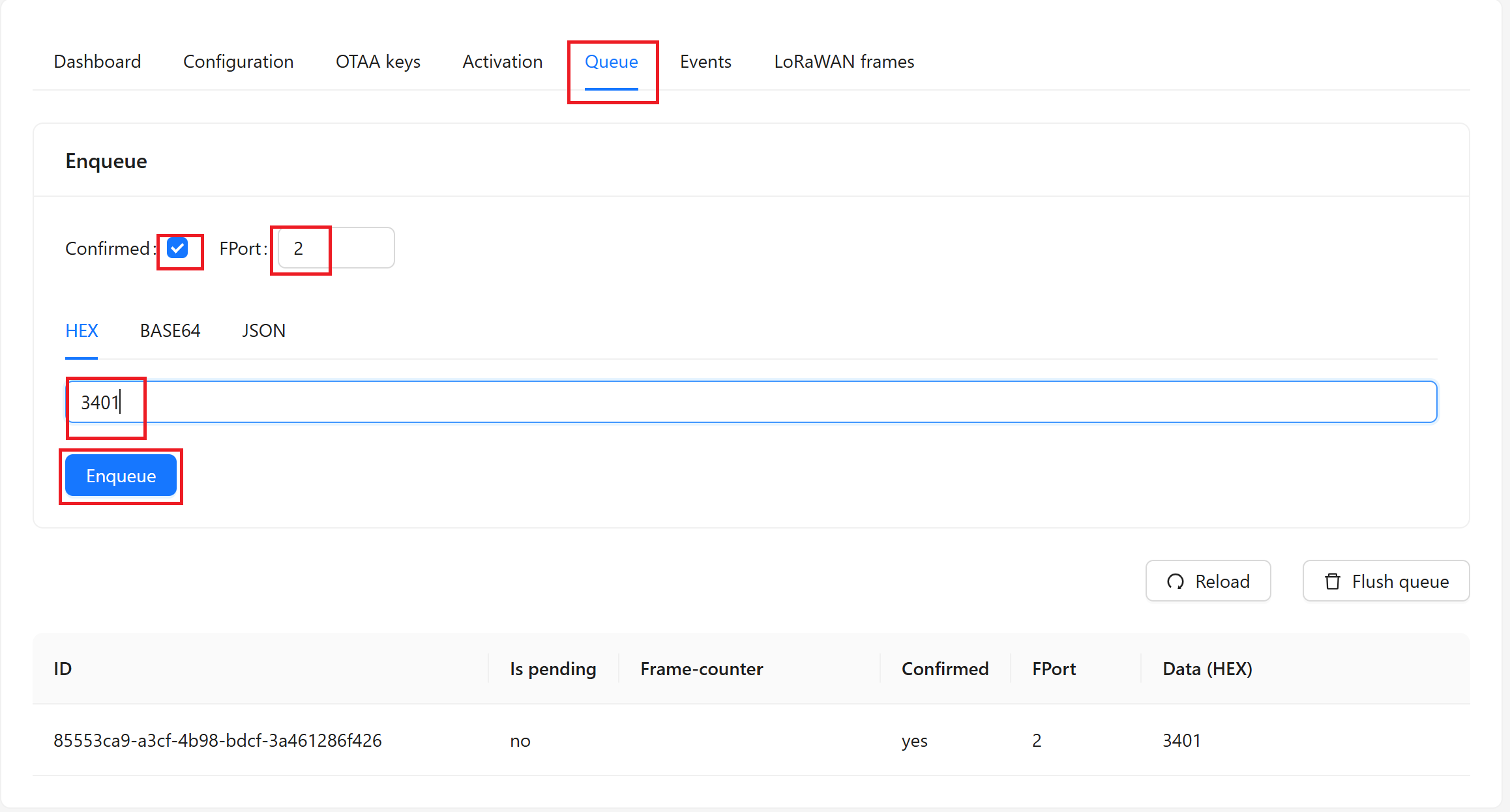
Go to the Queue tab and:
- Click the confirmed tickbox.
- Set FPort to 2
- Paste the command 3401 into the textbox.
- Click the Enqueue button
The datalog feature is now queued to be downloaded to the sensor. It will be downloaded to sensor on next transmission, so wait for a transmission before trying to test datalog feature.
| Note: Make sure you validate that the datalog is in effect by powering off the gateway for a couple of hours and then switching back on. You should see temperature readings for the missed hours once the sesnor and re-synchronised with the gateway. |