
The LHT65N has two working modes:
Deep Sleep Mode: LHT65N doesn't have any LoRaWAN activation. This mode is used for storage and shipping to save battery life.
Working Mode: In this mode, LHT65N works as LoRaWAN Sensor mode to Join LoRaWAN network and send out the sensor data to the server. Between each sampling/tx/rx periodically, LHT65N will be in STOP mode (IDLE mode), in STOP mode, LHT65N has the same power consumption as Deep Sleep mode.
The LHT65N is set in deep sleep mode by default; The ACT button on the front is to switch to different modes:
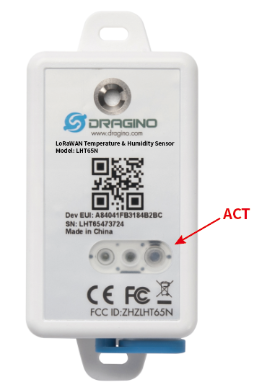
| Behavior on ACT | Function | Action |
|---|---|---|
| Pressing ACT between 1s < time < 3s | Test uplink status | If LHT65N is already Joined to rhe LoRaWAN network, LHT65N will send an uplink packet, if LHT65N has external sensor connected,Blue led will blink once. If LHT65N has not external sensor, Red led will blink once. |
| Pressing ACT for more than 3s | Active Device | Green led will fast blink 5 times, LHT65N will enter working mode and start to JOIN LoRaWAN network. |
| Fast press ACT 5 times. | Deactivate Device | Red led will solid on for 5 seconds. Means LHT65N is in Deep Sleep Mode. |