
What the message on the login screen means
When a passcode does not get you in, the message under “Enter your passcode” says why:
| Message | What it means and what to do |
|---|---|
| Incorrect login details | The passcode was not recognised on this device. Check the passcode, then work through the steps below. |
| Too many attempts on this device. Wait a few minutes and try again. | 10 wrong passcodes were entered on this device within 5 minutes, so it refuses passcodes until that 5-minute period ends. Correct passcodes entered by other operators do not count towards the 10. Wait up to 5 minutes and try again. |
| Could not sign in. Check the connection and try again. | QTRACA could not be reached, or the sign in did not finish. Your passcode was not necessarily wrong. Check the tablet’s internet connection and try again. |
If you are having trouble logging into QTRACA with your pin code check the following:
1. Make sure your tablet private key is entered.
Go to settings and check your private key is entered.
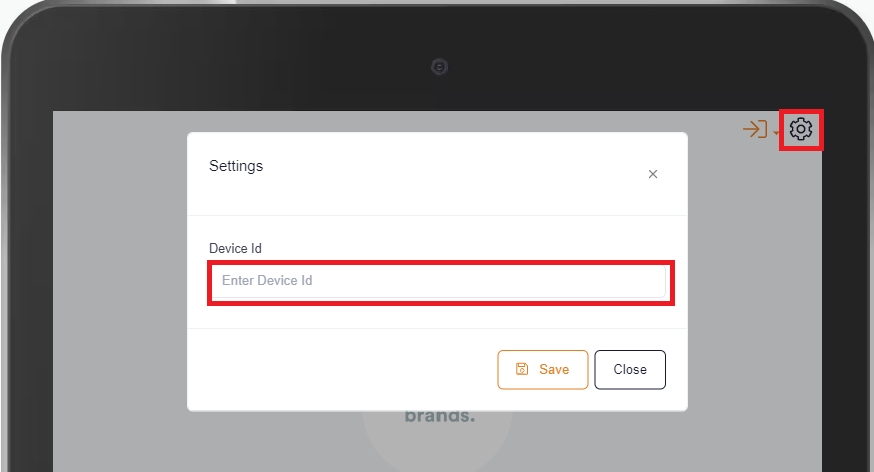
If it is not entered follow instructions here on how to enter.
2. Switch Standard login screen and login there first.
You should rarely need this step now: the operator login works out your company from the device itself, even if someone has signed in to a different QTRACA account on this tablet. Try it if step 1 is correct and the message is still “Incorrect login details”.
Switch to the standard login screen.
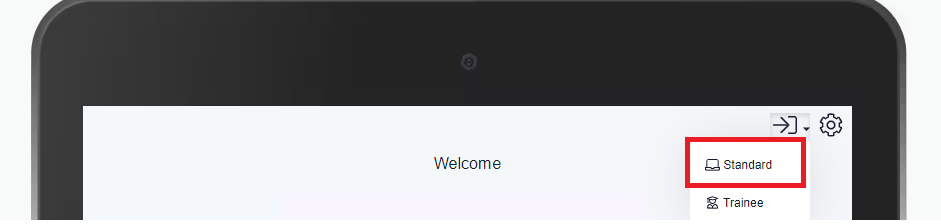
Once there log in to QTRACA using your email and password.
Logout of QTRACA and then switch back to the operator login screen.
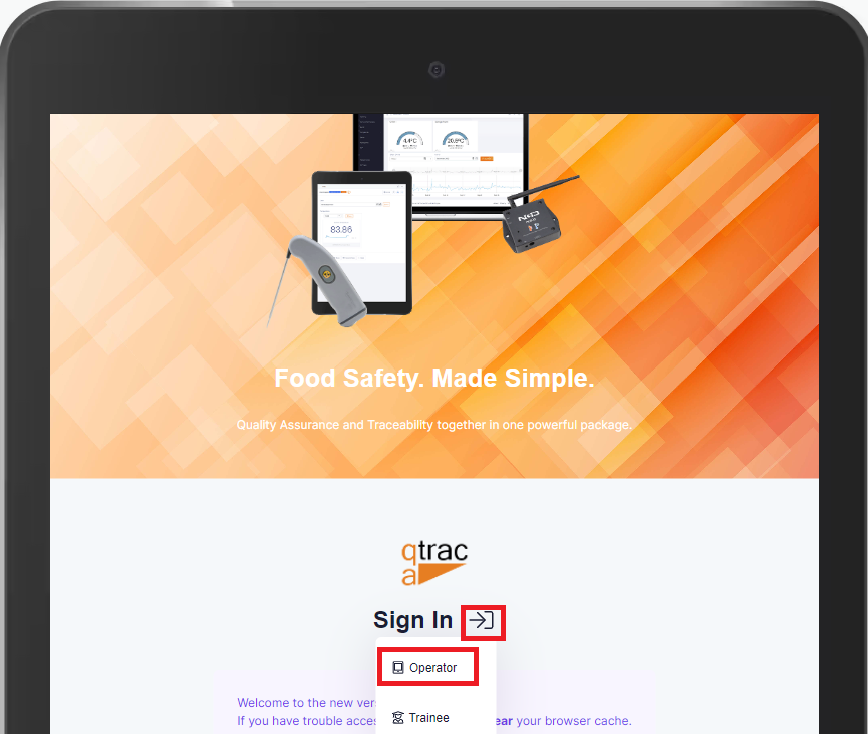
Try your pin code again.