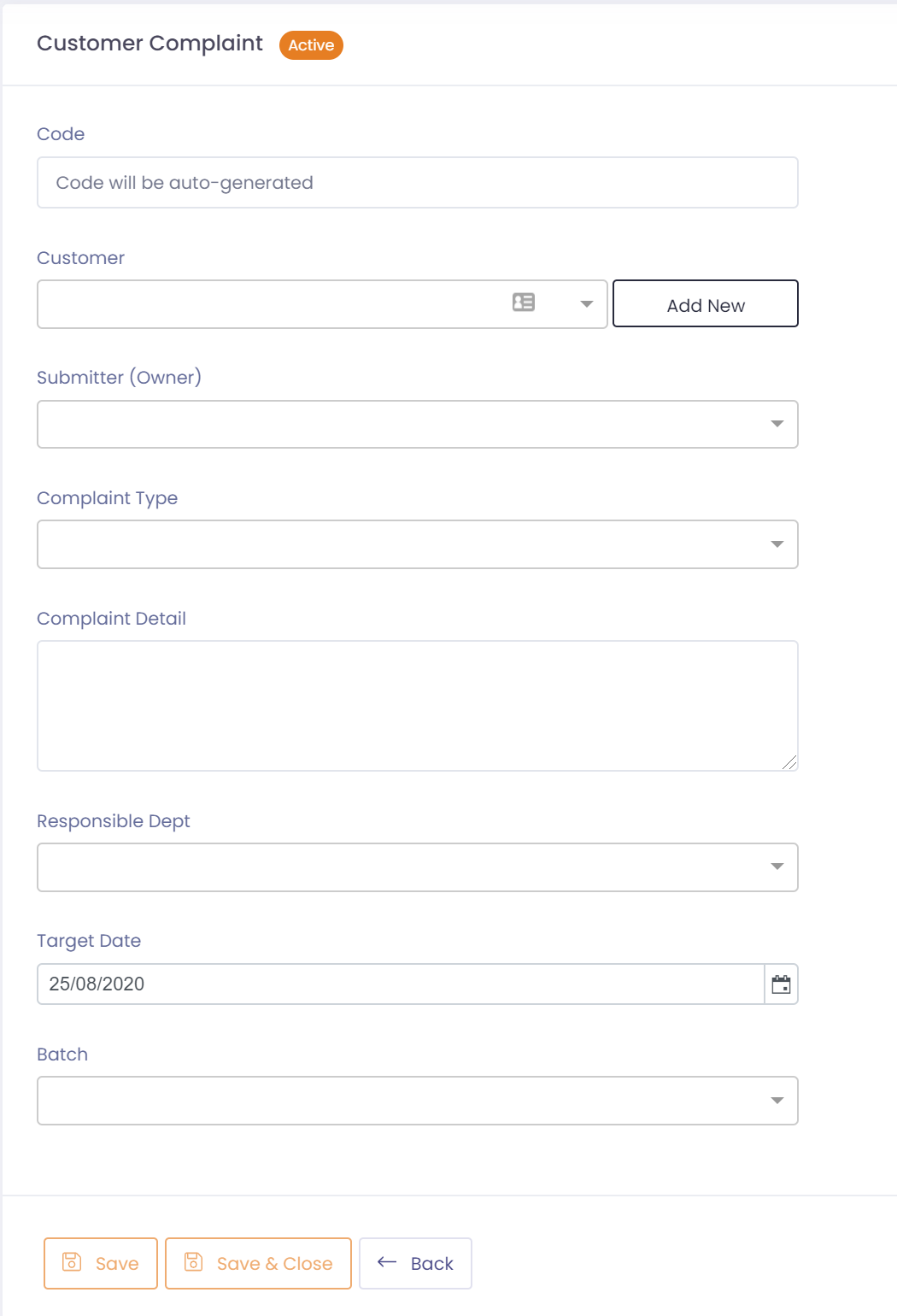
If you have a complaint originating from a direct customer you can record it in customer complaints, and then raise a non-conformance from it if required.
To setup a customer complaint perform the following steps:
- Go to Complaints ---> Customer
- Click the button 'New Customer Complaint'
- Select the customer the complaint relates to. If they don't exist you can create by clicking on 'Add New'
- Assign a submitter or owner of the complaint. Must be a user within QTRACA
- Assign the type of complaint
- Enter any detail provided with the complaint
- If the responsible department can be determined specify it
- Enter a target date for completion
- Assign the batch associated with the complaint
- Save complaint
Once the complaint has been saved you will be able to attach any associated documents or photos, create tasks, or raise a non-conformance.