
If required, packaging used in a production batch can be recorded against the batch for traceability.
To setup a packaging component perform the following steps:
- Go to Setup ---> Packaging
- Click the button 'New Packaging Component'
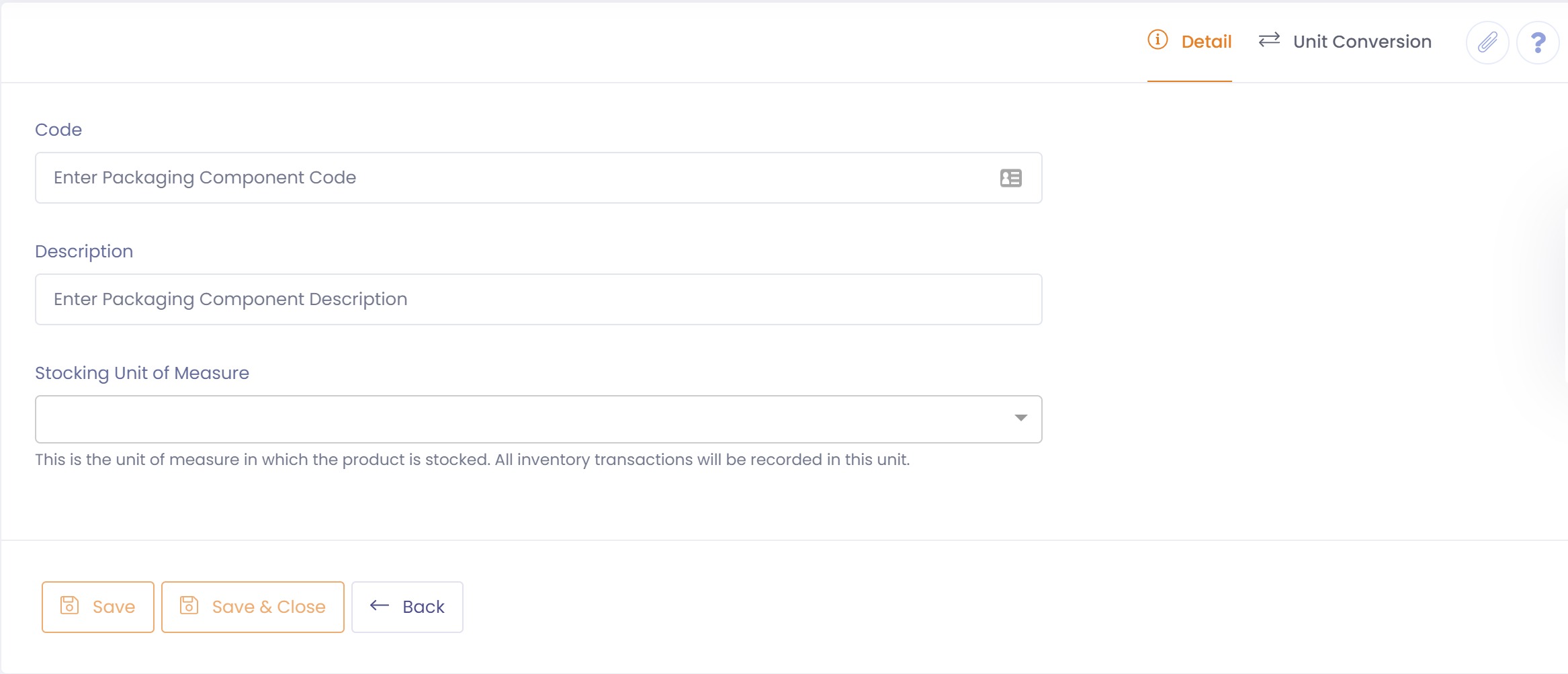
- On the 'Detail' tab, enter a unique code to identify the packaging component, and a description
- Select whether the packaging is active or not. If packaging is not active it will not be selectable when applying to a FG product.
- Enter the unit of measure that you will use to stock this packaging component. Inventory transactions will be record in this unit
- Specify the default unit of measure for inwards goods. If left blank a receipt will default to the stocking unit of measure.
- Save the packaging component
Unit Conversion
If you wish to receipt (Inwards Goods) the packaging into the system in a different unit of measure to that being stocked you may click on the 'Unit Conversion' tab and then add a unit conversion.
- Click the 'Add Unit Conversion' button.
- A unit conversion will be created with default unit of measures.
- Edit this newly created unit conversion and change the unit of measures to that required.
- Enter the conversion factor,
- 'Save' the unit conversion.
Tip: You should always try and enter the unit conversion as a whole number. you can do this by using the switch button to the from and to unit of measures if required.
For example if you have 12 bottles in a case you want to enter a conversion that gives 1 case = 12 bottles, having a conversion factor of 12, rather than 1 bottle = 0.08333 cases, having a conversion factor of 0.08333.