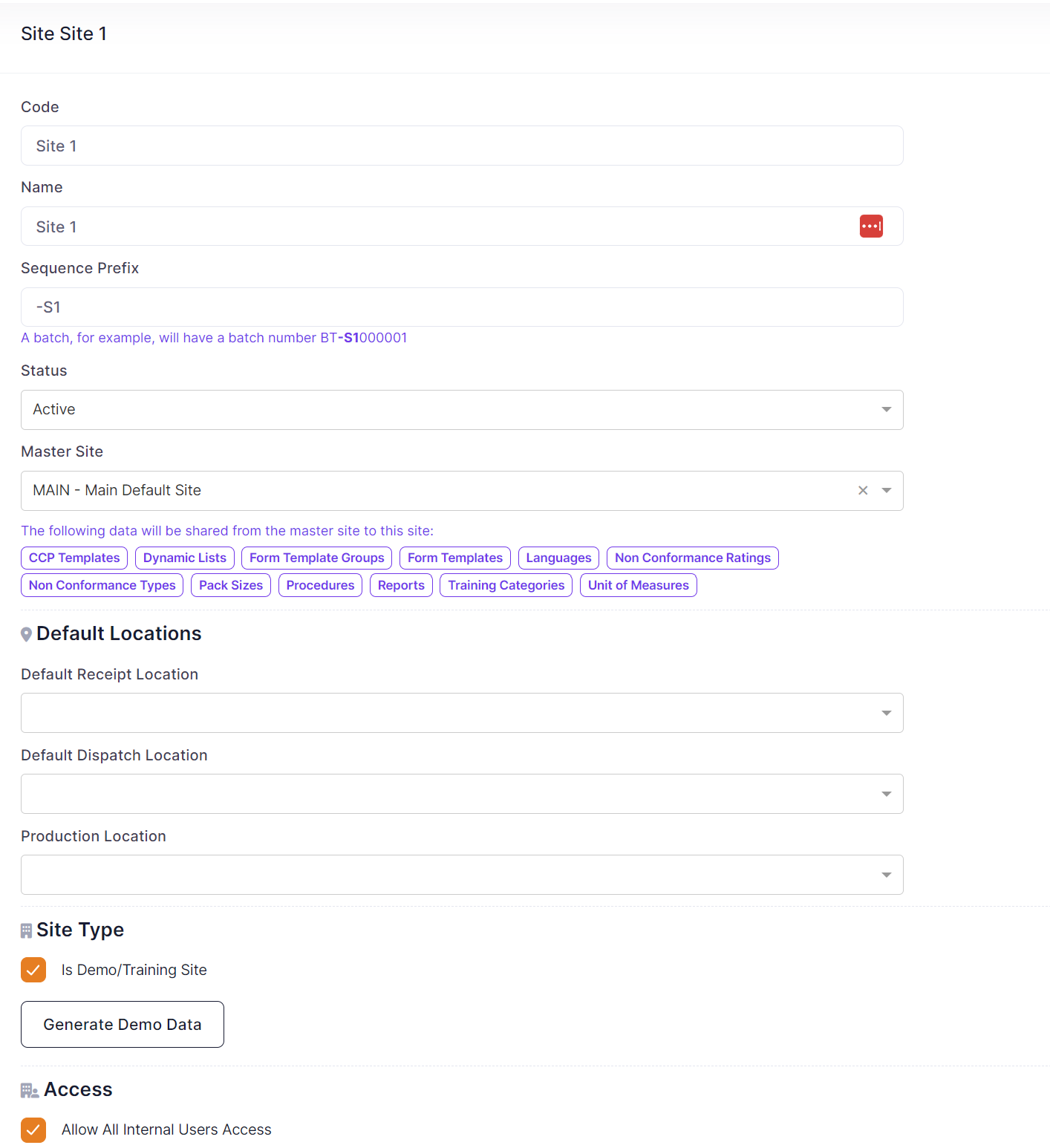
You are able to setup multiple sites within QTRACA. The data in each site is completely isolated and not shared between sites, they are therefore run and maintained independently.
Users are assigned to a site to gain access, and therefore can have different users accessing different sites.
To setup a new site perform the following steps:
- Go to User Management --> Sites
- From the Site List create a new site
- Enter a Code and Name for the site
- Enter the sequence prefix for this site. This allows your batches to be coded differently for each site
- Set the status to 'Active' to allow users to select this site
- Specify the master site if this site has a parent site
- Specify default locations if locations are being used
- Specify whether this site is a demo or training site
- If you want all your internal users to be able to access the site tick the 'Allow all Internal Users Access' box
- Save the site
- To give specific users access to the site click the 'New User' button
- Select the user by typing their name
- Click 'Save' button to add the user to site
Master Site
If a master site is linked to a site then the following tables and their data will be shared from the master site.
- CCP Templates
- Dynamic Lists
- Form Template Groups
- Form Templates
- Languages
- Non Conformance Ratings
- Non Conformance Types
- Pack Sizes
- Procedures
- Reports
- Training Categories
- Unit of Measures
If a site is linked to a master site then the master site data can be seen in the child site, however it must be maintained through the master site.
Master data will be flagged in the list view as follows:
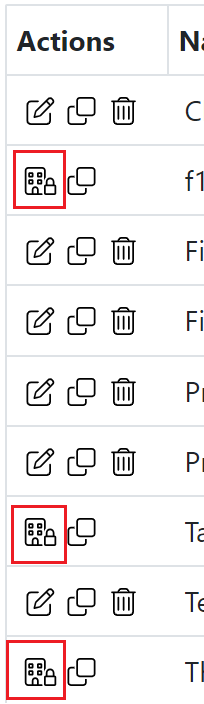
The highlighted building with a padlock icon means that the record is maintained through the linked master site. For these records the edit and delete functions will not be available.
Locations
If you are using locations you should also specify you default locations for the site. Locations can be turned on in
Settings --> Account Settings
Site Type
A site can be defined as a demo/training or production site. Production sites are limited. A demo site can be used for training purposes. If you site is a demo/training site you have the option to generate a set of demo data for the site.