
When receiving an inwards good line you are able to perform an automated allergen check against a raw material. This can be done by taking a photo of the product label and then having the system compare allergens declared on the label to allergens that you are expecting on the raw material.
If the product label contains different allergens to those specified against the raw material the inwards good line will be flagged as invalid and will not be able to be posted, unless overridden by an authorised user.
Turn On Allergen Checking
Account Settings
In order to use allergen checking you need to turn it on in your account settings.
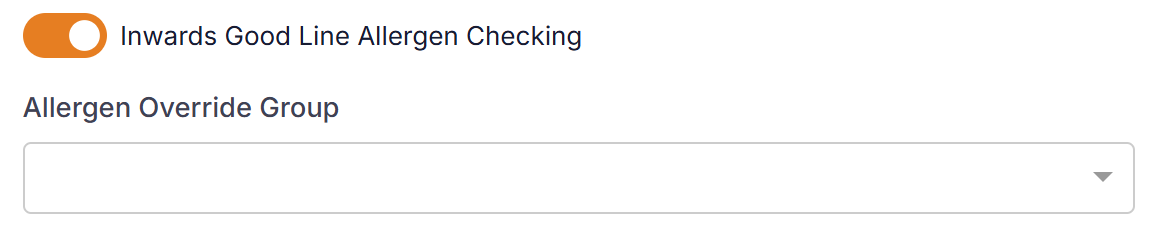
Under the Inwards Good settings section turn on the 'Inwards Good Line Allergen Checking' setting.
If you wish to limit the users that can override an allergen result then setup a User Access Group in User Management and select it in the 'Allergen Override Group' field.
Supplier Products
To check a raw material for allergens then you must flag a supplier product record to perform an allergen check. Go to 'Suppliers' and then on a supplier product tick the 'Record Allergen Check' flag.

Allergen Check Process
On an inwards good line when a product is valid for allergen checking the check will only be done the first time you receipt stock for a batch. The system will check stock and if a batch (Number, UB Date, BB Date) has been previously receipted then an allergen check will not be required.
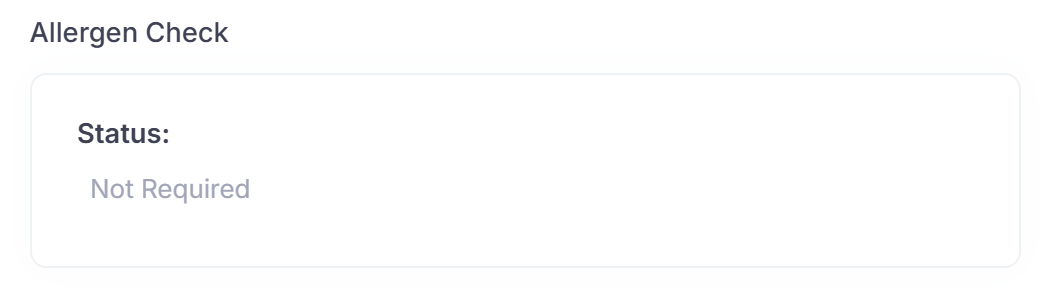
If an allergen check is not required then the following will be displayed:
If an allergen check is required then the following will be displayed:
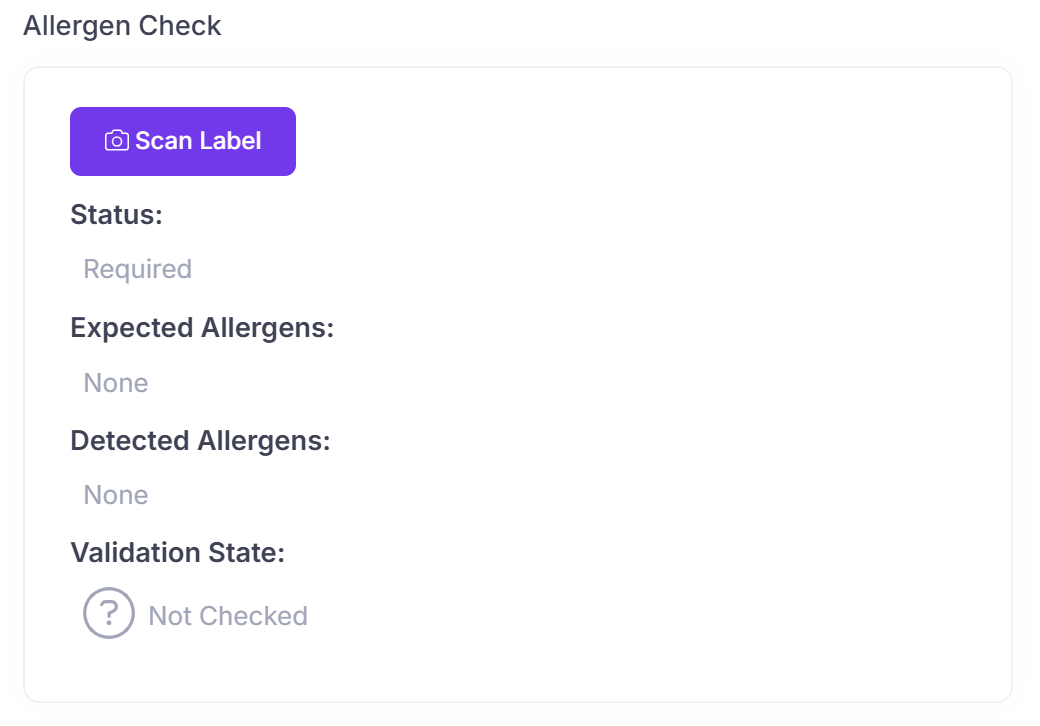
When required you will follow these steps:
- Click the 'Scan Label' button and take a photo of the label. Make sure the whole label is in photo and is focused.
- If the inwards good line is not saved complete the mandatory fields and save the line.
- The label will now be processed and results displayed.
- If the allergen check fails an authorised user can override the result to be valid by clicking the 'Override' button and entering their pin code.
A successful allergen check will look like this:
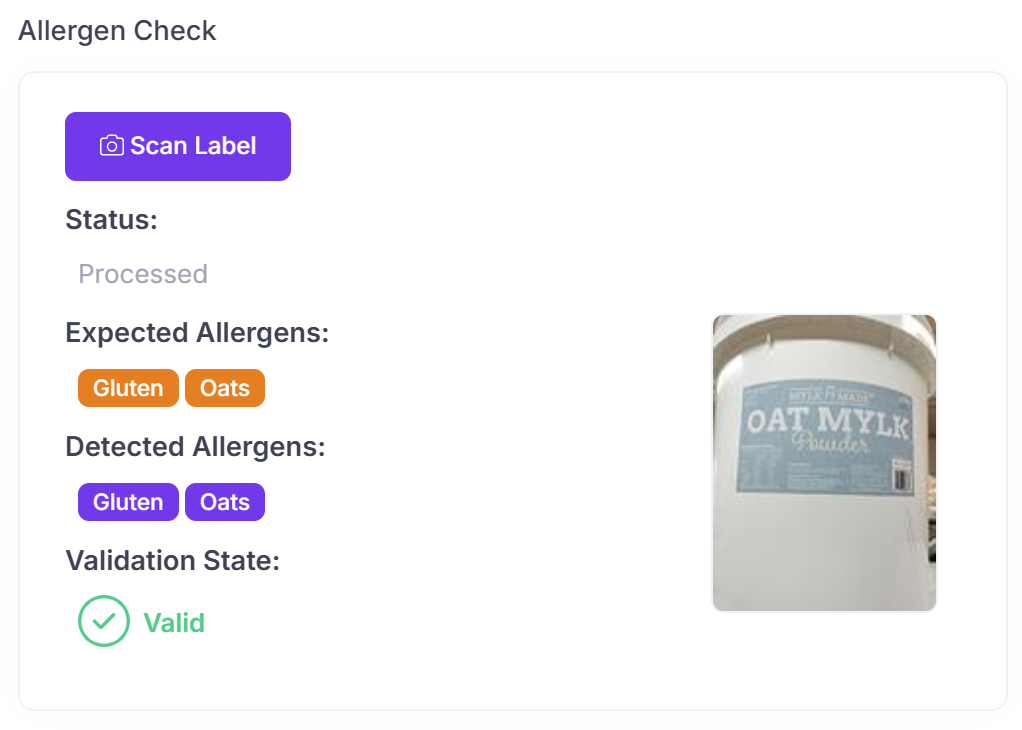
You will not be able to post the inwards good line until the validation state of allergen check is 'Valid'.
The allergen check is run on the server once the line is saved. To manually refresh the allergen check results at any stage click on the refresh button and results will be updated.
Valid processing statuses are:
| Status | Description |
| Not Required | An allergen check is not required as already has been performed for batch. |
| Required | An allergen check is required for inwards good line. Is a new batch and label has not previously been checked. |
| Processing | System is processing label. |
| Processed | System has finished processing label. |
| Error | An error has occurred during processing. |