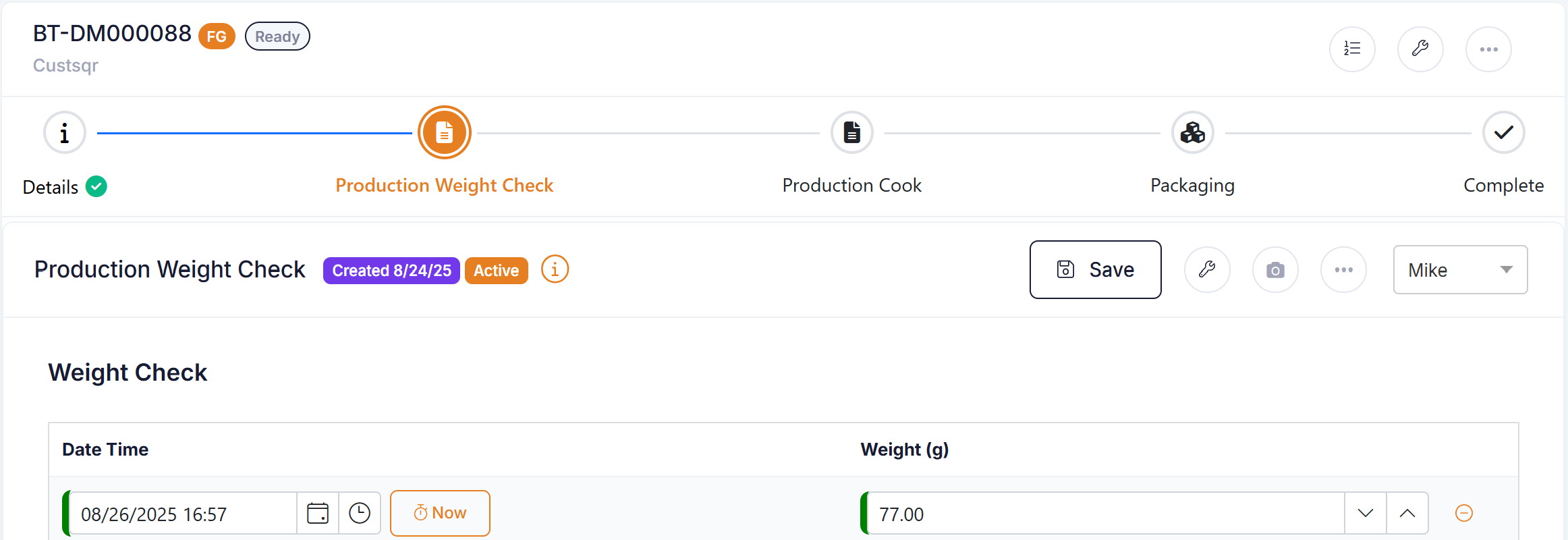
Batch workflows allow users to control the order in which screens will display on a batch. Workflows will enable the order of details, recipe, packaging, completion, form component to be defined by overall or by product.
In addition using batch workflows enhances the UI in the following ways:
- Processes are accessed via a process toggle button which allows the processes to 'fly out' in a convenient menu.
- Forms are display in-line in the batch process.
| Batch workflows are turned on by default in new accounts. To turn batch workflows on or off go to Setup --> Account Settings and choose your setting for the 'Enhanced UI Batch Workflow' feature.  |
Processes
Processes can be viewed at any time by clicking the process toggle button.
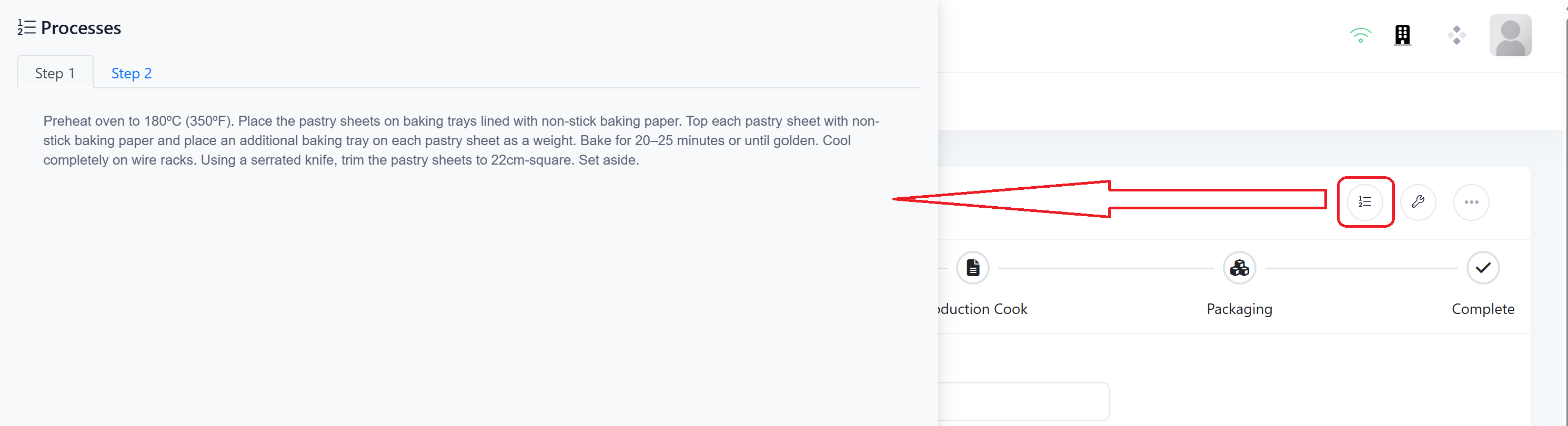
Workflow
The workflow for the batch will be displayed horizontally across the screen and allow you to move quickly between sections. Once a step is complete and green tick will be displayed to let the user know the step is complete.
Navigation is now achieved by clicking on the desired step, or swiping left and right through the screens.

Forms
Forms are now displayed in line with the batch, giving users more context of where they are in the process.