
QTRACA supports offline mode for the following functionality:
- Adding new forms to the system.
- Updating newly added forms.
- Updating existing forms if they have previously been opened on-line.
If the system loses Wi-Fi connection then the above functions will still be able to be performed. Once connection is resumed then the offline updates will automatically be synchronised to the server database.
The status of the system will be displayed in the header bar of the application as follows:
Desktop
Online Offline

Tablet
Online Offline

Offline and Caching Tools
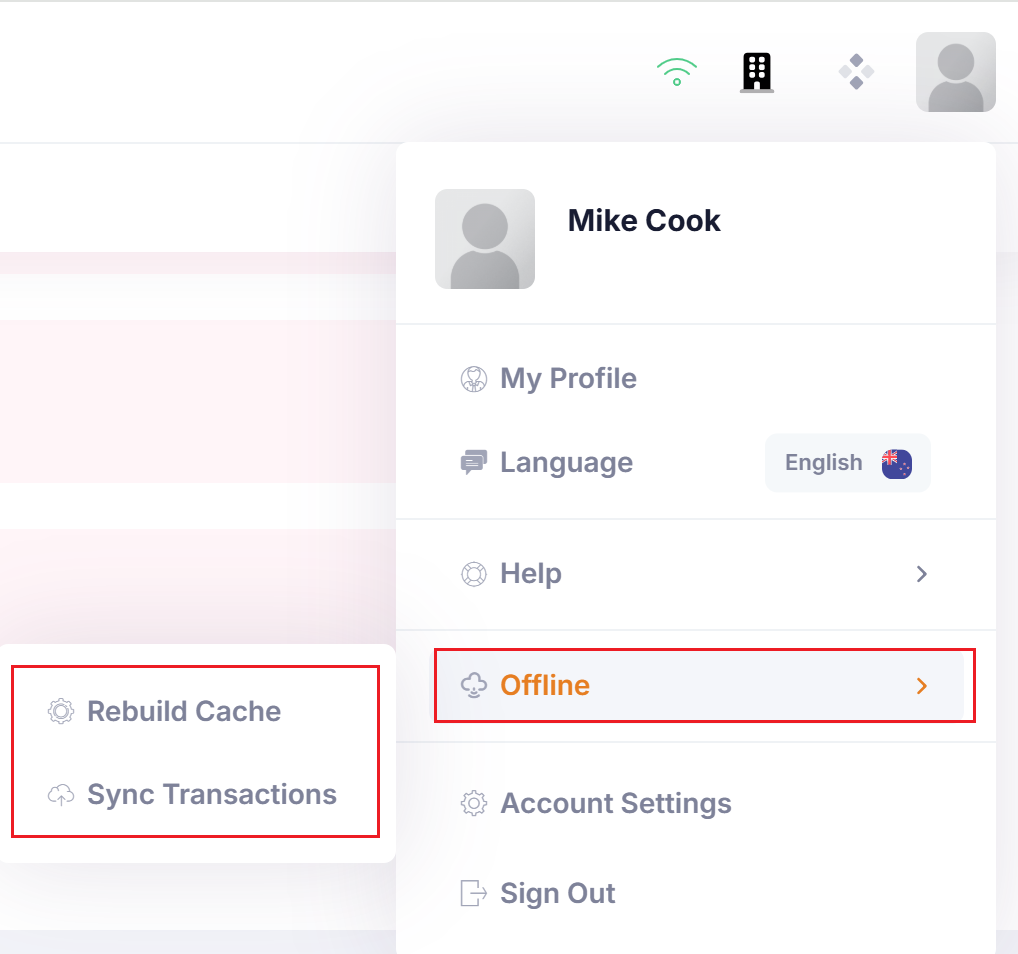
When online you can force a re-sync of cached objects, or synchronisation of offline data using the following menu:
Desktop
Tablet
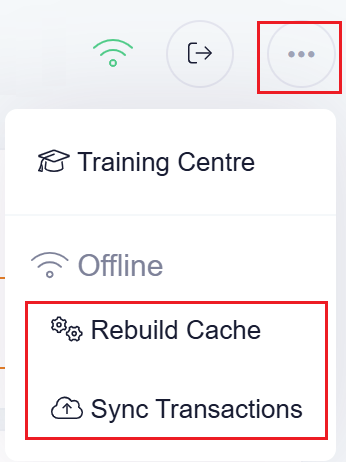
Rebuild Cache
Running this will re-load required objects for online and offline support from the database.
Sync Transactions
If offline changes exist and were not automatically synchronised then this option can be run to force synchronisation.