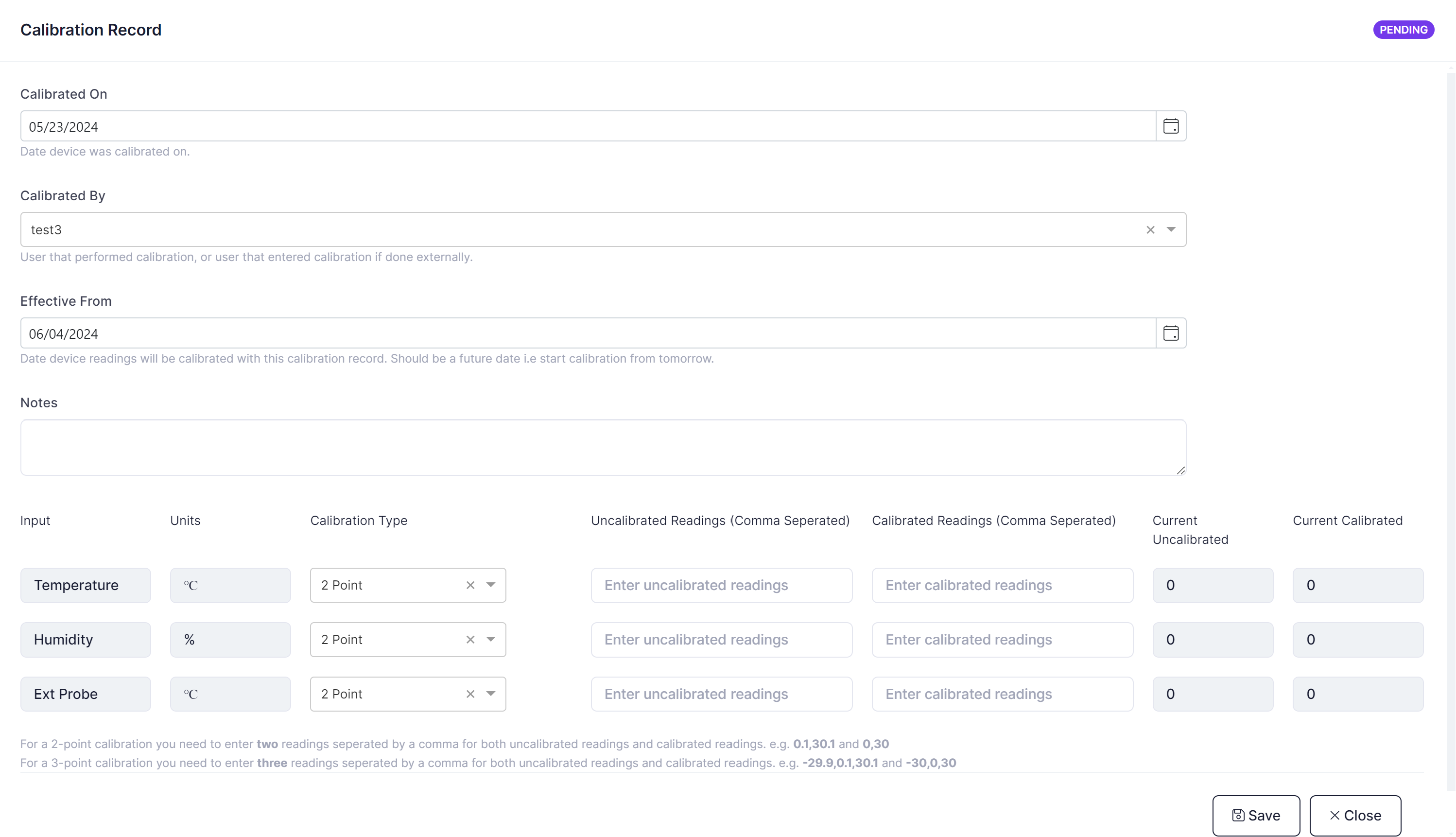
An IoT device can be calibrated through the calibration screen on the IoT Device.
Go to 'Remote Devices' select the device you wish to calibrate by clicking on 'edit'. Once in the device go to the 'calibration' tab.
Calibration records will be displayed by 'effective from date', descending, i.e. most recent calibrations first.
When a reading is taken the most recent calibration record (based off the effective from date) will be selected to apply the calibration. The calibrated value will be stored as the value taken for the reading.
To create a calibration record enter details as follows:
- Enter the date the device was calibrated on.
- Enter the user that is entering the calibration, or that performed the calibration if done internally.
- Enter the date the calibration is effective from. Note that this date must be in the future, and once in effect the calibration record cannot be updated.
- Enter any notes applicable to this calibration.
The next section displays a list of all the inputs available to be calibrated on the selected device. For each node being calibrated enter the following (if node is not being calibrated leave blank):
- Input - Read Only - The sensor input.
- Units - Read Only - The unit(s) used for the sensor input.
- Calibration Type - Select either a 2-point or 3-point calibration technique.
- Uncalibrated Readings - Enter raw sensor values separated by a ','(comma).
- Calibrated Readings - Enter reference sensor values separated by a ','(comma).
- Current Uncalibrated - Displays sensor values from latest reading without the coefficients applied.
- Current Calibrated - Displays the sensor values from latest reading with the coefficients applied so you can see what effect the calibration had.