
Once pack sizes have been setup and applied to FG products your production process will change.
During allocation of the production batch you will additionally allocate out by pack size. This will give you inventory for the batch by pack size.
Batch Quantity
When using pack sizes your batch quantity would usually be in your base weight unit of measure such as kg or lbs.
In the 'Qty Out' field you would enter the total quantity produced, in this case in kg.
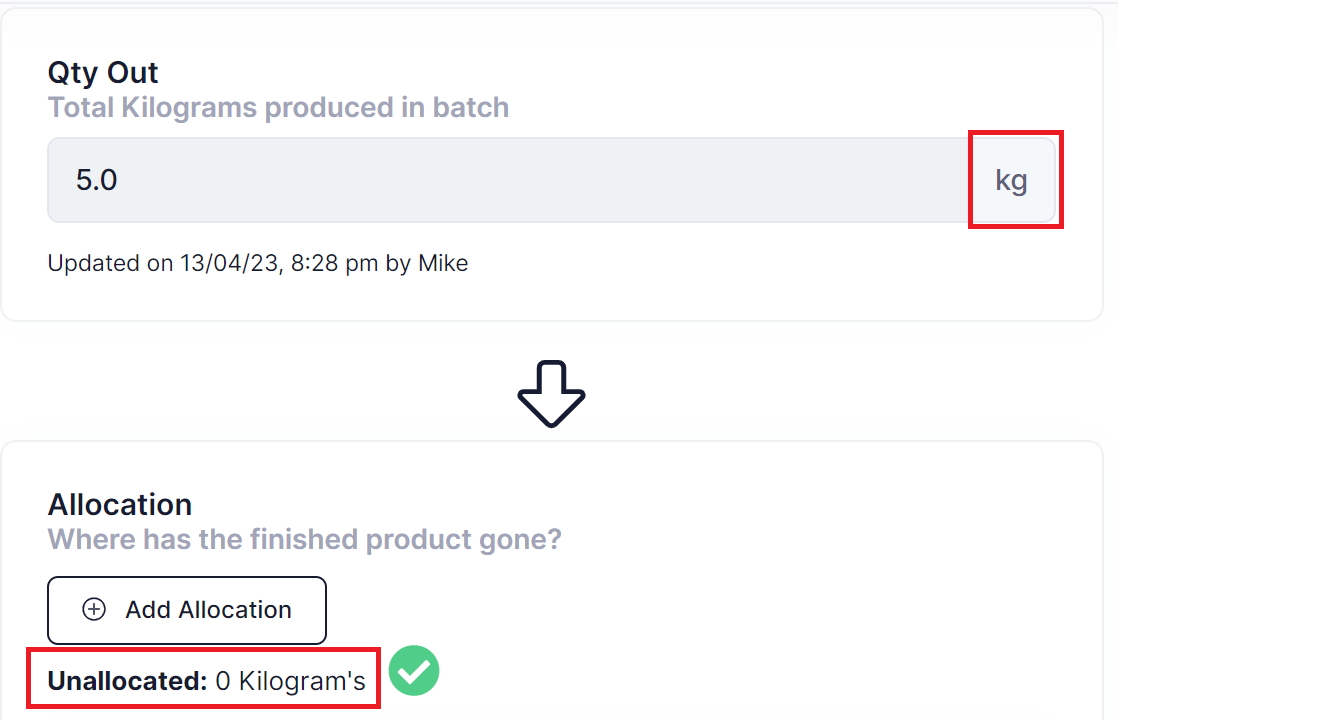
Allocation
Next you would allocate out against a pack size or the batch itself, depending on the allocation method selected.
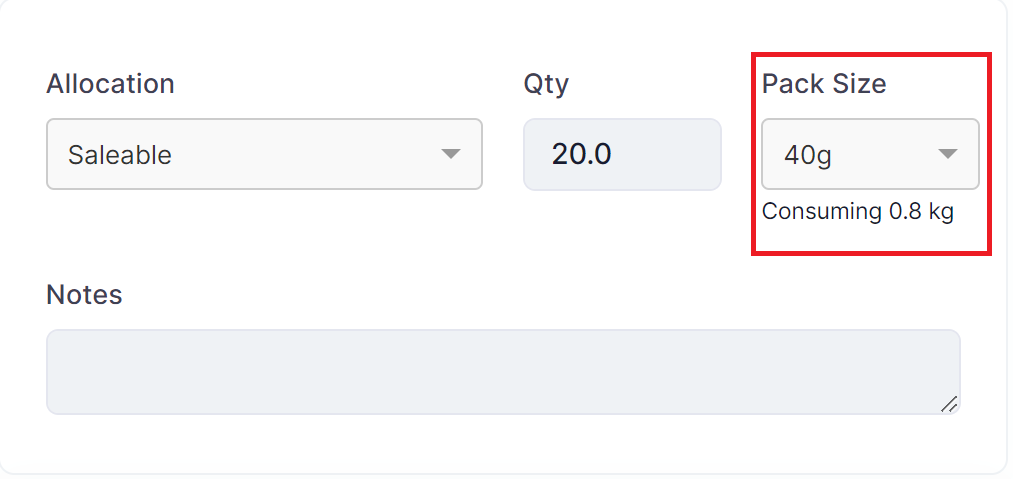
Allocation to Saleable/Staff Sales/Retention/Samples
Allocating to Saleable, Staff Sales, Retention, or Samples will force you to allocate to a pack size. Using the quantity and base unit of measure on the pack size the system will be able to convert the selected number of pack sizes back into the output quantity of the batch.
Note: If required be sure to enter a unit conversion on the product to do the conversion from pack size base unit of measure to batch products stocking unit of measure.
Allocation to Spoils/Wastage or On Hold
Allocating to Spoils/Wastage or On Hold will allow you to either allocate to pack size or against the batch qty directly.
To allocate to a pack size choose either:
- Spoils/Wastage - Packed
- On Hold - Packed
To allocate to the batch quantity directly choose either:
- Spoils/Wastage - Unpacked
- On Hold - Unpacked
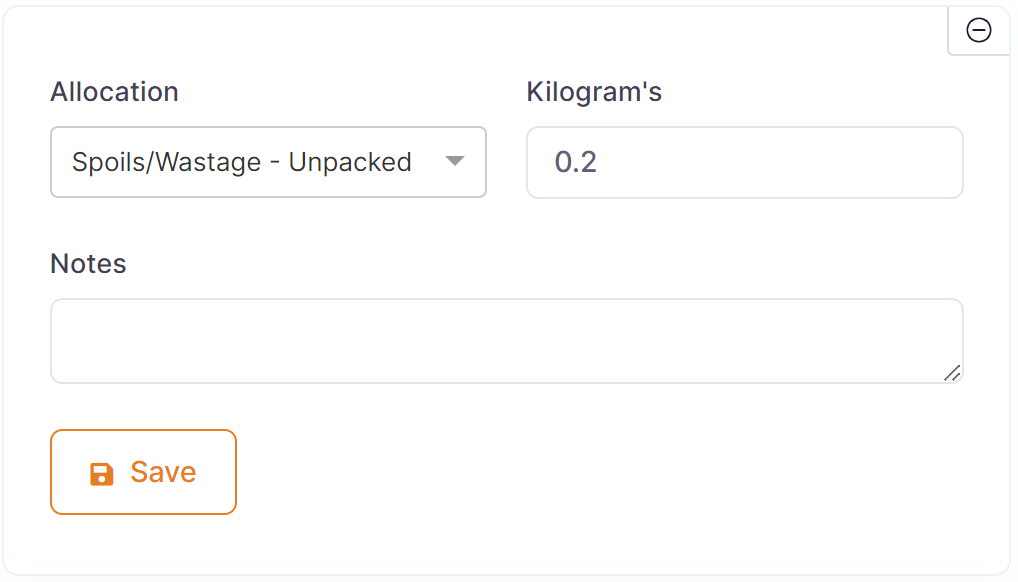
As with allocations without pack size the allocated quantity must equal the batch quantity to complete the batch.