
Making a Form Template Available for CCP Templates
Critical Control Point (CCP) templates are constructed from standard form templates.
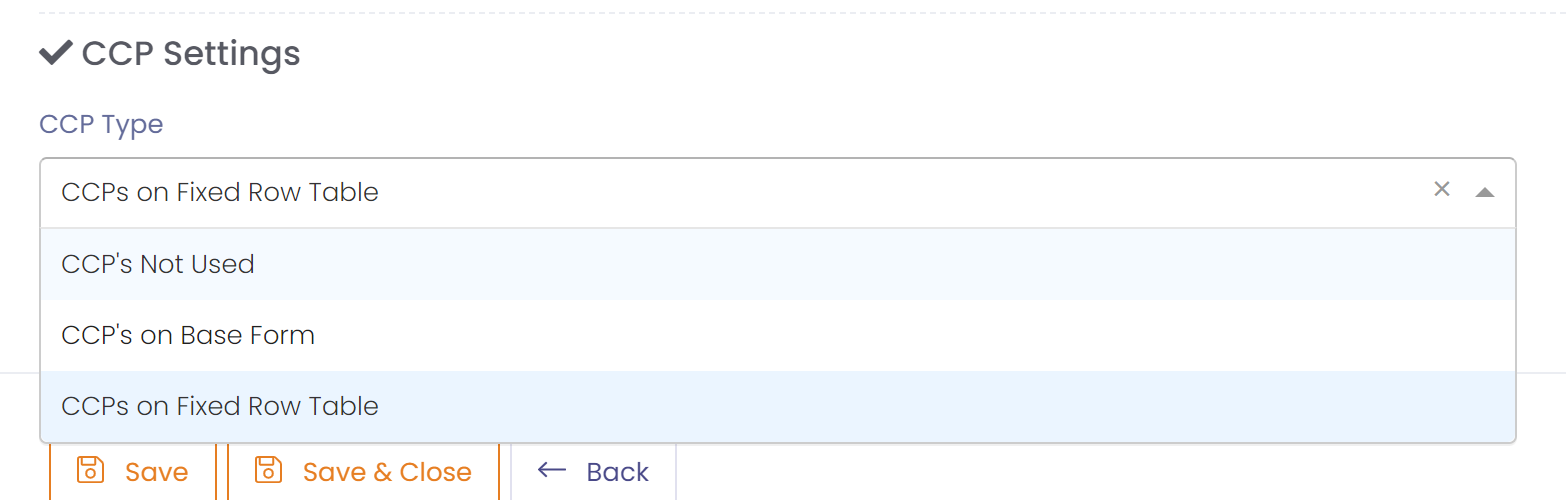
A form template can be setup for use with a CCP Template by specifying the form templates CCP Settings. There are 3 options available for the CCP Type:
- CCP's Not Used
- The form template will not be used to collect CCP data and will not be used in a CCP Template.
- CCP's on Base Form
- The form can be used in a CCP template, and the CCP data will exit on the main/base form. i.e. CCP will not be in a table.
- CCP's on Fixed Row Table
- The form can be used in a CCP template, and the CCP data will exist in a fixed row table on the form.
- There may only be one table in the form, and this table must be a fixed row table.
Setting the CCP Key on Form Template
Since the CCP Template pulls data from multiple forms, forms containing CCP data must have a key to link them together.
The key may either be a date or a string field. There must be only one field set as a key per form.
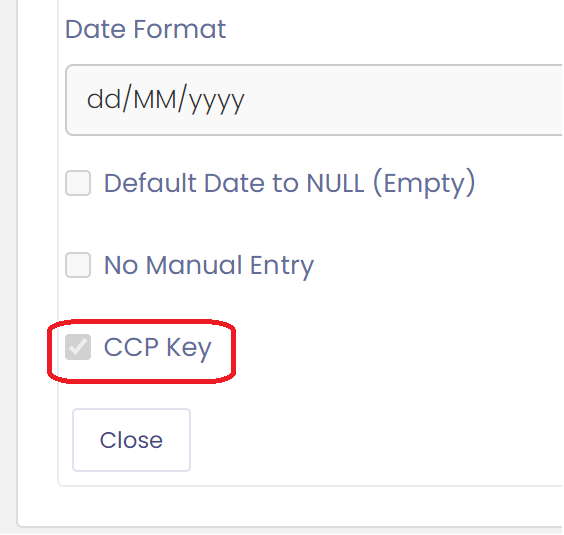
All forms that are linked in a CCP Template will be matched on the value entered in the key field to pull the form data together.
Flagging a field as a CCP, and Setting a Rule
One or more fields may be flagged as a CCP on a form. Fields must be of numeric value to be a CCP.
Once flagged as a CCP you can enter a rule to validate whether the value entered is within tolerance or spec. The results of these rules will be displayed on the CCP Form when it is generated.

A CCP Rule can be:
- Between 2 values: Valid if between values.
- Greater than a value: Valid if greater than value.
- Less than a value: Valid if less than value.