
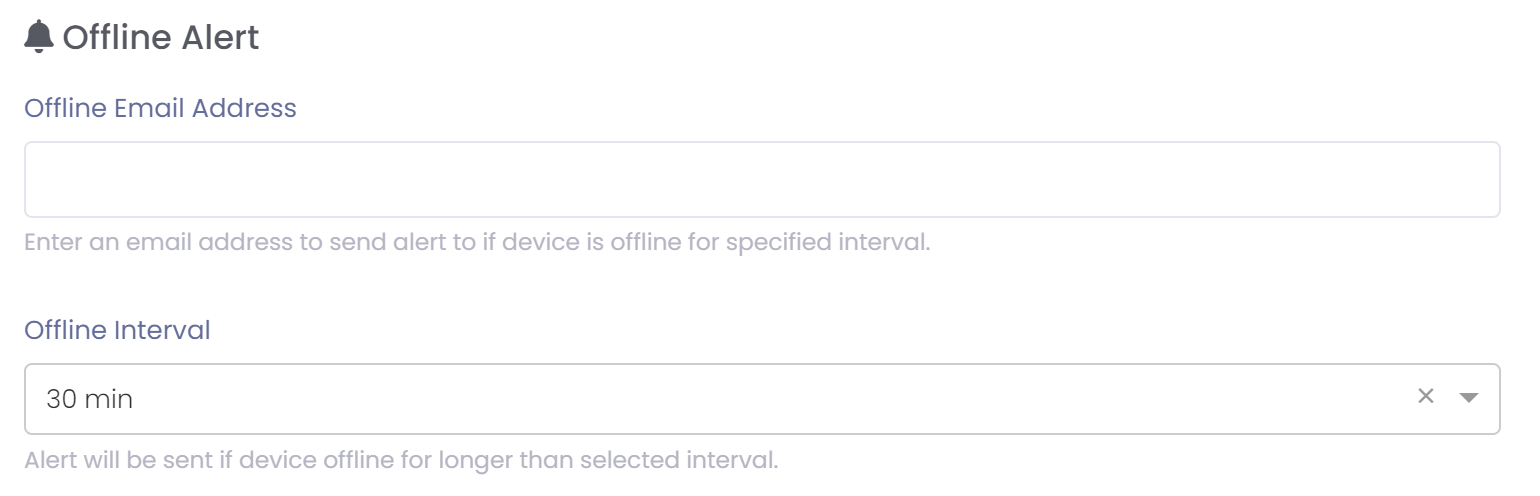
You can setup an alert to email a person when a device is offline for a specified period between 30 minutes and one day.
To setup an alert just enter a valid email address and specify the time that must elapsed with not contact before an alert will be sent.
Email alerts will only be active if a valid email address is entered.
Notifications to devices and apps will always be sent every 15 minutes after the offline interval. These alerts can get noisy so you can turn on the 'Reduce Alert Frequency Over Time' if desired. This will reduce the number of alerts sent over time as specified.

Muting Alerts
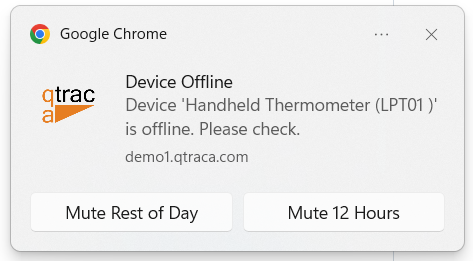
If you receive an alert for a sensor being offline you can mute it for a specified period of time:
- Rest of Day - Mute alerts for this device until midnight of the current day.
- 12 Hours - Mute alerts for this device for 12 hours.
If you want to un-mute an alert you can go to 'Remote Devices' , select the device and then in its details cancel the mute on the device.