
QTRACA provides data import via CSV files for the following objects:
- Raw Materials
- Packaging
- Products (WIP & FG)
- Product Recipe
- FG Product Packaging
- Product Pack Size
- Product UOM Conversion
- Product QA Check
- Suppliers
- Supplier Products
- RM/Packaging Stock Adjustments
- WIP/FG Stock Adjustments
- Customers
- Consumers
- Inwards Good
- Product Recipe Publish
- Product Packaging Publish
Who can import: importing needs the same rights as adding one of those records by hand. For example, importing products needs the rights to create a product. Anyone without them sees “Not Authorised” when they run the import, even though the import icon is shown to them.
If file import is available then the file import icon will be displayed in the toolbar of the list view:

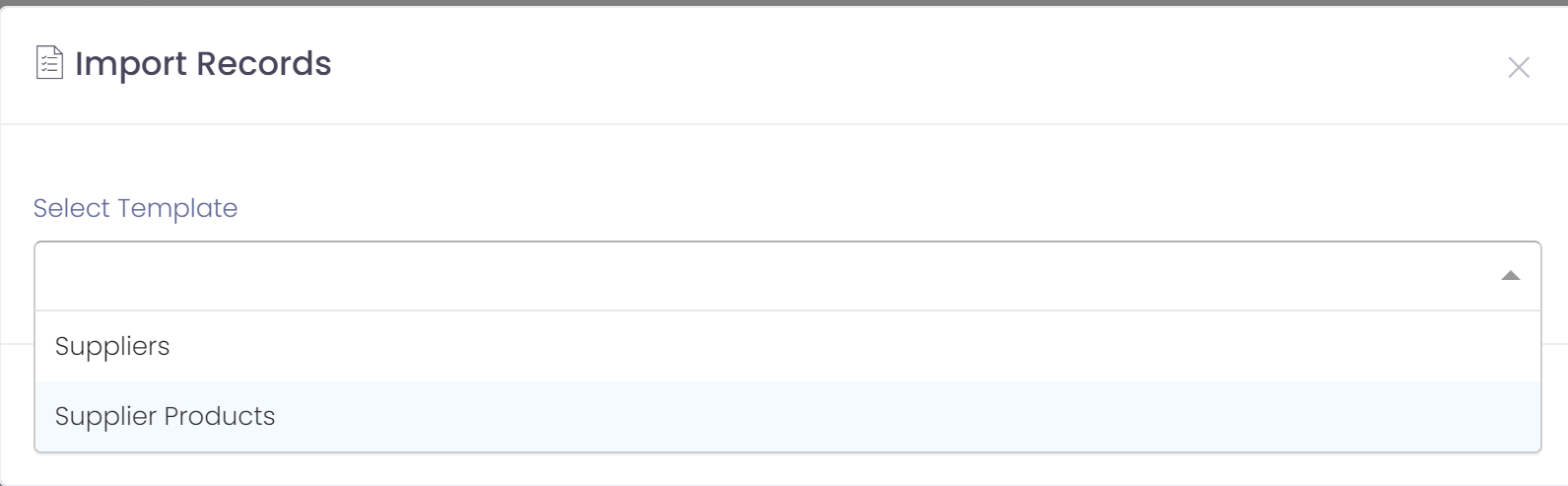
Clicking on the file import icon will let you choose the template to load.
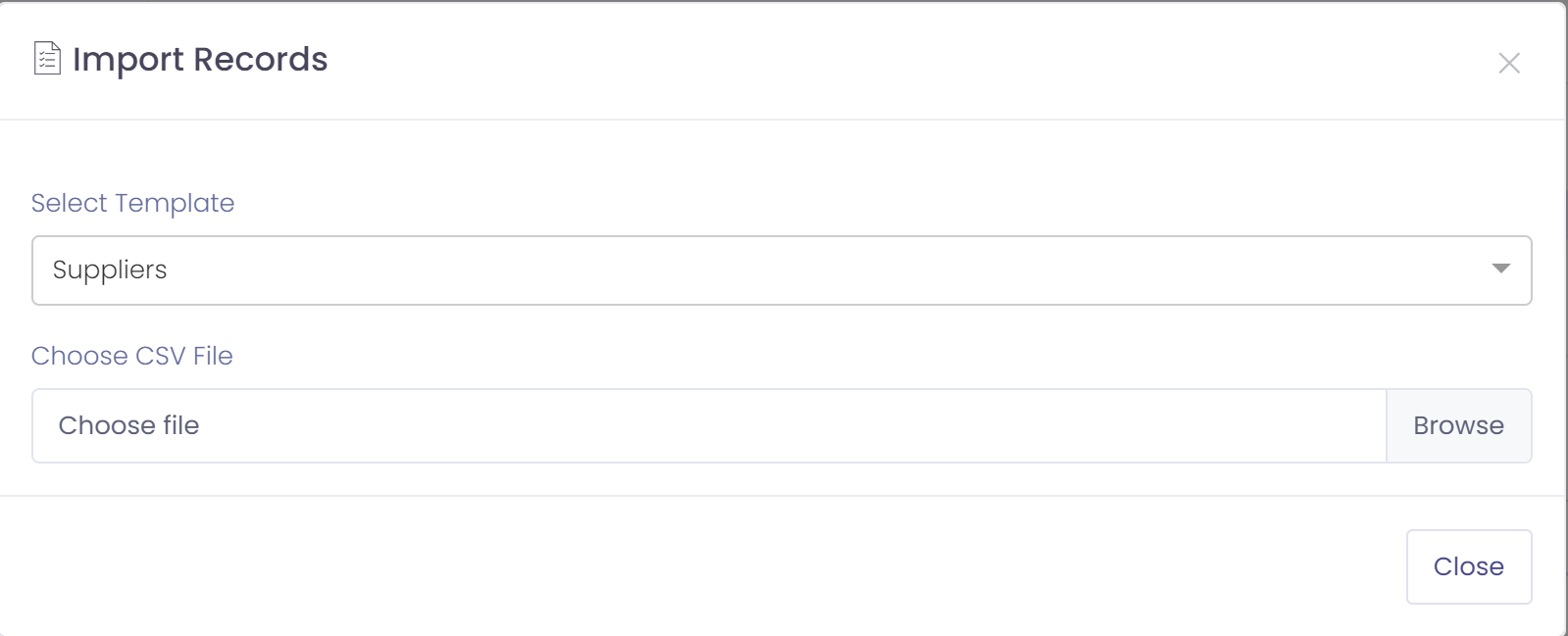
After selecting the template you will be prompted to select your CSV file. Refer to CSV mapping specifications below.
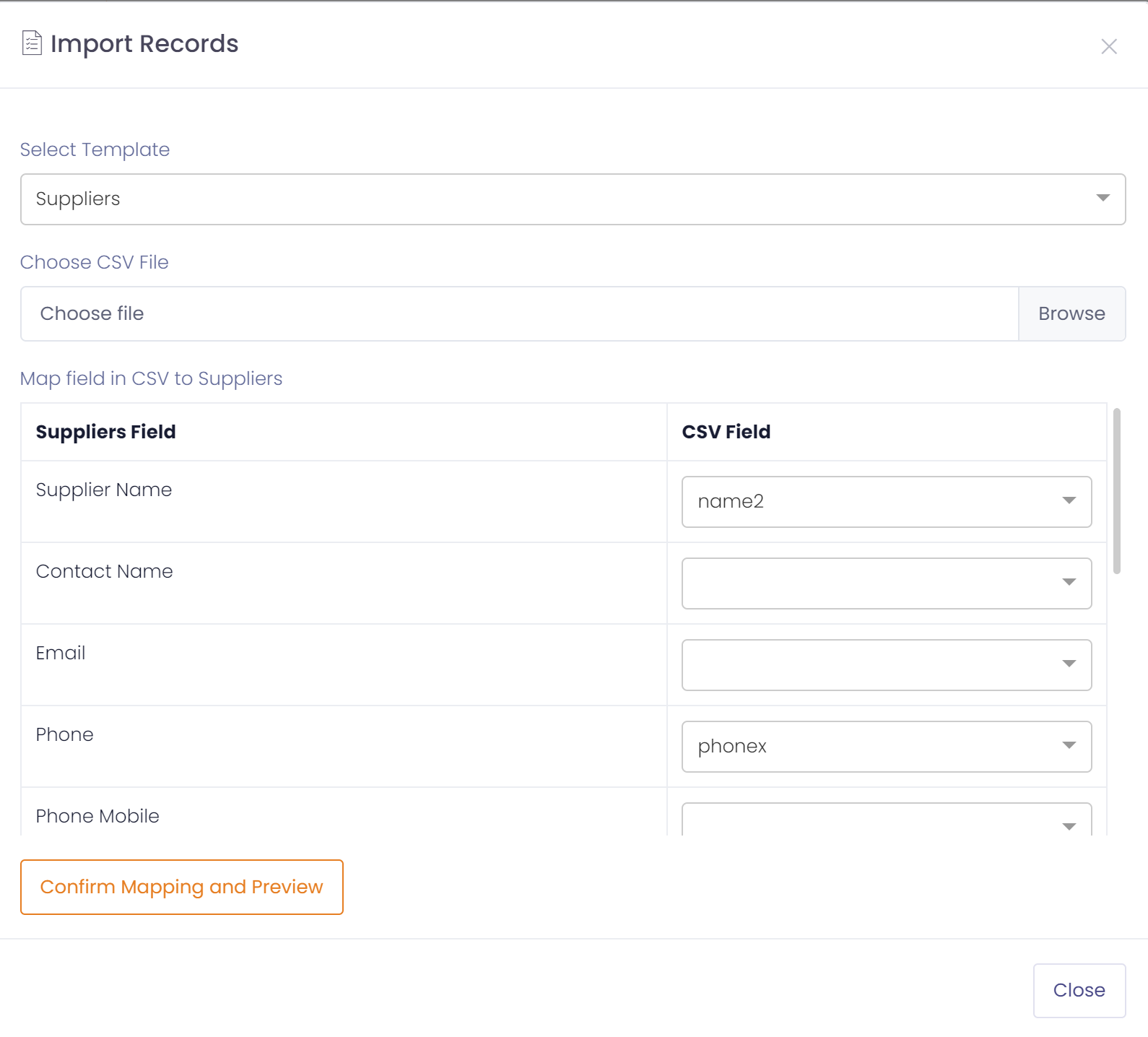
Once the csv file has been selected you will be prompted to map the fields in the CSV to the QTRACA field. The first row in the CSV file should contain column headings for your data.
For each QTRACA field (on the left) select the equivalent field in the CSV file from the dropdown (on the right). Note, Fields in the CSV with the same label as the QTRACA field will be automatically matched.
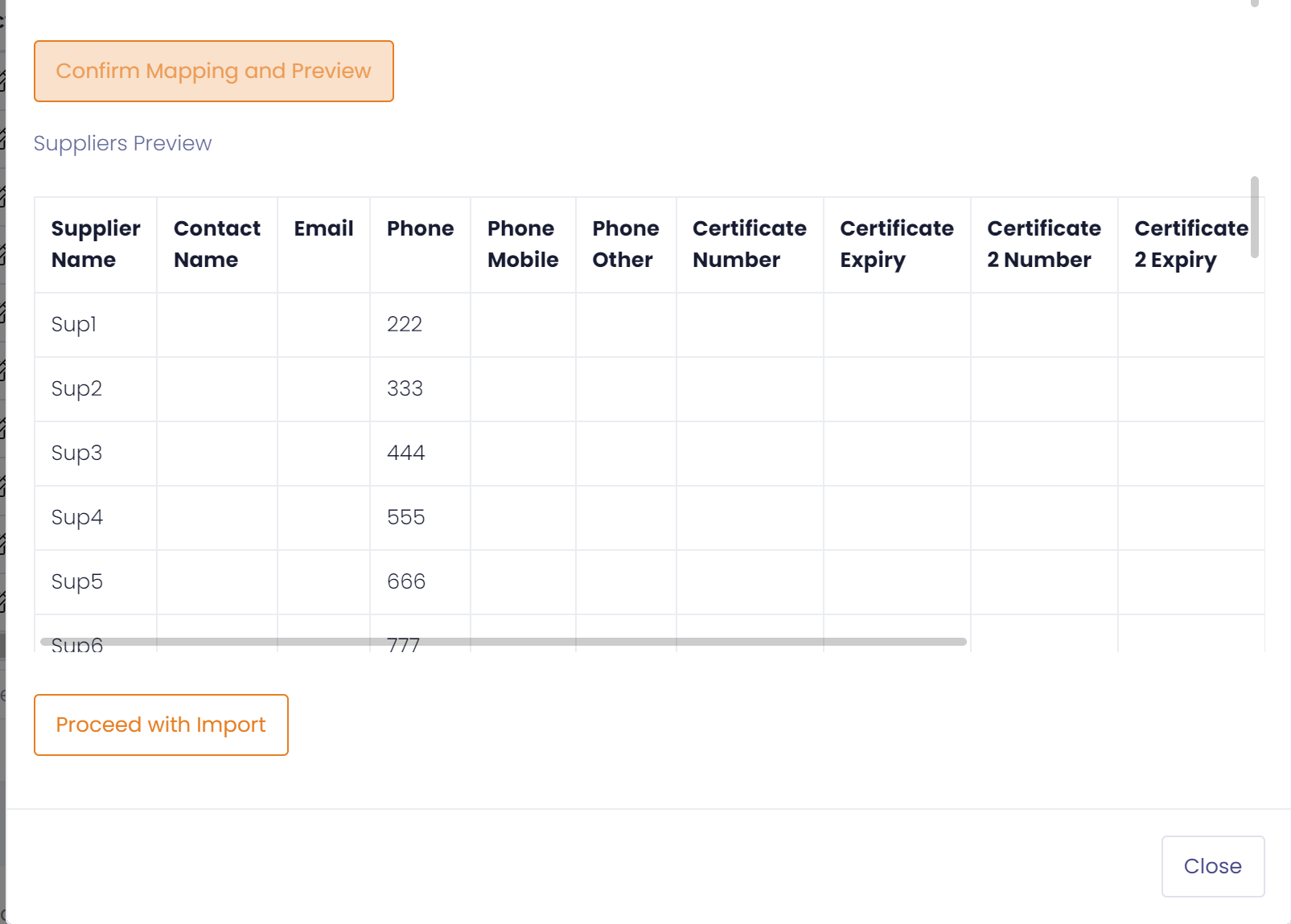
Once all fields have been mapped click on 'Confirm Mapping and Preview'
A sample of what will be loaded is displayed. If it looks good click on the 'Proceed with Import' button to proceed with import.
| Note: Once you proceed with import the process cannot be undone. It is recommended to test import with a few rows of data first to make sure you have mapped and formatted data corretcly. |
Raw Materials Specification
| Field | Data Type | Notes |
| Code | Text | |
| Description | Text | |
| Is Stocked | Boolean | Must be TRUE or FALSE |
| Record Wastage | Boolean | Must be TRUE or FALSE |
| Stocked UOM | Text | Must be code of a Unit of Measure existing in QTRACA |
| Default Receipt UOM | Text | Must be code of a Unit of Measure existing in QTRACA |
| Unit Cost | Number | |
| Substitute Raw Material Code | Text | Must be code of a raw material existing in QTRACA |
| External Ref | Text | |
| Allow Variable Qty | Boolean | Must be TRUE or FALSE |
| Active | Boolean | Must be TRUE or FALSE |
Packaging Specification
| Field | Data Type | Notes |
| Code | Text | |
| Description | Text | |
| Stocked UOM | Text | Must be code of a Unit of Measure existing in QTRACA |
| Default Receipt UOM | Text | Must be code of a Unit of Measure existing in QTRACA |
| Unit Cost | Number | |
| External Ref | Text | |
| Active | Boolean | Must be TRUE or FALSE |
WIP Product Specification
| Field | Data Type | Notes |
| Code | Text | |
| Description | Text | |
| Stocked UOM | Text | Must be code of a Unit of Measure existing in QTRACA |
| Unit Cost | Number | |
| Shelf Life Days | Number | |
| Record Batch Best Before | Boolean | Must be TRUE or FALSE |
| Record Batch Use By | Boolean | Must be TRUE or FALSE |
| External Ref | Text | |
| Active | Boolean | Must be TRUE or FALSE |
FG Product Specification
| Field | Data Type | Notes |
| Code | Text | |
| Description | Text | |
| Stocked UOM | Text | Must be code of a Unit of Measure existing in QTRACA |
| Default Dispatch UOM | Text | Must be code of a Unit of Measure existing in QTRACA |
| Unit Cost | Number | |
| Shelf Life Days | Number | |
| Record Batch Best Before | Boolean | Must be TRUE or FALSE |
| Record Batch Use By | Boolean | Must be TRUE or FALSE |
| Record E-cert | Boolean | Must be TRUE or FALSE |
| Record Temperature | Boolean | Must be TRUE or FALSE |
| External Ref | Text | |
| Active | Boolean | Must be TRUE or FALSE |
Product Recipe Specification
| Field | Data Type | Notes |
| Product Code | Text | Must be code of a Product existing in QTRACA |
| Ingredient Code | Text | Must be code of a Raw Material or WIP Product existing in QTRACA |
| UOM | Text | Must be code of a Unit of Measure existing in QTRACA |
| Qty | Number | |
| Is Note | Boolean | Must be TRUE or FALSE |
| Note | Text | |
| Display Note Only When Selected | Boolean | Must be TRUE or FALSE |
| Sort Order | Number |
Product Recipe Publish
| Field | Data Type | Notes |
| Product Code | Text | Must be code of a Product existing in QTRACA |
Product Packaging Publish
| Field | Data Type | Notes |
| Product Code | Text | Must be code of a Product existing in QTRACA |
Product Packaging Specification
| Field | Data Type | Notes |
| Product Code | Text | Must be code of a FG Product existing in QTRACA |
| Product Packaging Code | Text | Must be code of a Packaging Product existing in QTRACA |
| UOM | Text | Must be code of a Unit of Measure existing in QTRACA |
| Qty | Number | |
| Track on Batch | Boolean | Must be TRUE or FALSE |
Product Pack Size Specification
| Field | Data Type | Notes |
| Product Code | Text | Must be code of a FG Product existing in QTRACA |
| Pack Size Code | Text | Must be code of a Pack Size existing in QTRACA |
Product UOM Conversion Specification
Choose UOM Conversion from the import icon on the Products, Raw Materials or Packaging list. Each row sets one unit of measure conversion for one item: 1 From UOM = Quantity To UOM. For example, 980116, carton, unit, 12 means 1 carton of 980116 holds 12 units.
| Field | Data Type | Notes |
| Product Code | Text | Must be code of a Product, Raw Material or Packaging item existing on the site |
| From UOM | Text | Must be code of a Unit of Measure existing in QTRACA (the code, not the description) |
| To UOM | Text | Must be code of a Unit of Measure existing in QTRACA, different from From UOM |
| Quantity (1 From = Qty To) | Number | Must be greater than 0. Stored exactly as given |
- If the item already has a conversion between the same two units (in either direction), it is updated rather than duplicated.
- Rows that do not match are skipped without an error. A row is left out if the product code or either unit code is not found (upper and lower case do not matter), if both units are the same, or if the quantity is missing or 0. If an import seems to do nothing, check the codes for spelling against Admin > Setup > Units of Measure.
- The Quantity column only maps itself if its heading is exactly Quantity (1 From = Qty To). Otherwise select it in the mapping step.
Product QA Check Specification
| Field | Data Type | Notes |
| Product Code | Text | Must be code of a FG Product existing in QTRACA |
| Form Template Name | Text | Must be name of a Form Template existing in QTRACA |
| Field Name | Text | Must be a field name within the defined form template, and field must be able to be used for QA checking. |
| QA Check | Text | A value of: na - Not Checked expected_empty - Expected empty value expected_filled - Expected value has_expected_value - Expected specified value has_unexpected_value - UnExpected specified value expected_true - Expected true(checked) value expected_false - Expected false(un-checked) value expected_range - Expected a number range Check must be valid for type of field defined. |
| Range Type | Text | A value of: between - between numbers specified greater - greater than number specified less - less than number specified |
| Range Min Value | Number | Entered if between, or greater |
| Range Max Value | Number | Entered if between, or less |
| Expected/Unexpected Value | Text | Must match the label/text of a valid option for field. Entered if check type has_expected_value or has_unexpected_value |
Suppliers Specification
| Field | Data Type | Notes |
| Name | Text | |
| Contact | Text | |
| Text | ||
| Phone | Text | |
| Phone Mobile | Text | |
| Phone Other | Text | |
| Certificate Number | Text | |
| Certificate Expiry | Date | Must be a date formatted as YYYY-MM-DD |
| Certificate Number 2 | Text | |
| Certificate Expiry 2 | Date | Must be a date formatted as YYYY-MM-DD |
| Certificate Number 3 | Text | |
| Certificate Expiry 3 | Date | Must be a date formatted as YYYY-MM-DD |
Supplier Products Specification
| Field | Data Type | Notes |
| Supplier Name | Text | Must be name of a Supplier existing in QTRACA |
| Product Code | Text | Must be code of a Raw Material existing in QTRACA |
| Record Temperature | Boolean | Must be TRUE or FALSE |
| Min Temp | Number | |
| Max Temp | Number | |
| Record Batch Number | Boolean | Must be TRUE or FALSE |
| Record Best Before Date | Boolean | Must be TRUE or FALSE |
| Record Use By Date | Boolean | Must be TRUE or FALSE |
| Record Label Check | Boolean | Must be TRUE or FALSE |
| Record Packaging Check | Boolean | Must be TRUE or FALSE |
| Record Delivery Time | Boolean | Must be TRUE or FALSE |
RM/Packaging Stock Adjustments Specification
| Field | Data Type | Notes |
| Reason | Text | |
| Location Code | Text | Must be code of a Location existing in QTRACA |
| Supplier Name | Text | Must be name of a Supplier existing in QTRACA |
| Product Code | Text | Must be code of a Product existing in QTRACA |
| Batch Number | Text | |
| Best Before Date | Date | Must be a date formatted as YYYY-MM-DD |
| Use By Date | Date | Must be a date formatted as YYYY-MM-DD |
| UOM | Text | Must be code of a Unit of Measure existing in QTRACA |
| Quantity | Number | |
| Quantity Type | Text | Must be 'Adjust' or 'Onhand' |
WIP/FG Stock Adjustments Specification
| Field | Data Type | Notes |
| Reason | Text | |
| Location Code | Text | Must be code of a Location existing in QTRACA |
| Batch Number | Text | Must be batch number for a valid batch in QTRACA |
| UOM | Text | Must be code of a Unit of Measure existing in QTRACA |
| Quantity | Number | |
| Quantity Type | Text | Must be 'Adjust' or 'Onhand' |
Customers
| Field | Data Type | Notes |
| Customer Name | Text | |
| Contact Name | Text | |
| Text | ||
| Phone | Text | |
| Phone Mobile | Text | |
| Phone Other | Text | |
| Delivery Address | Text |
Consumers
| Field | Data Type | Notes |
| First Name | Text | |
| Last Name | Text | |
| Address | Text | |
| Text | ||
| Phone | Text | |
| Phone Mobile | Text | |
| Phone Other | Text |
Inwards Good Request
To use this import the following feature must be enabled through 'Account Settings':

| Field | Data Type | Notes |
| Supplier Name | Text | Must be name of a Supplier existing in QTRACA |
| Receipt Date | Date | Must be a date formatted as YYYY-MM-DD |
| Reference | Text | Unique reference e.g. Invoice/PO Number |
| Requested Date | Date | Must be a date formatted as YYYY-MM-DD |
| Product Code | Text | Must be code of a Product existing in QTRACA |
| Requested Qty | Number | |
| UOM | Text | Must be code of a Unit of Measure existing in QTRACA |
Templates
Use the Excel spreadsheets to enter data, and then save each sheet as a CSV file to load.