
The reference component will display a dropdown list in a form. The dropdown list can be linked to the following:
- Finished and WIP Products
- Raw Materials
- Packaging
- Users
- Batches
- IoT Devices
- Form Reference (Dynamic Lists for Forms)
This will allow a user to select existing records in the system.

The reference component has the following settings:
- Name: This defaults to a unique name, and is ready only.
- Label: Label displayed for text field
- Help Text: Help text displayed below field
- Placeholder: Text that is displayed in field when no value has been entered
- Editable by: Specifies who can edit this field - Everyone, Approver 1, Approver 2
- Can Comment: Allow comments to be entered against field
- Required On Save: Whether or not the field is mandatory when form saved
- Required On Confirm: Whether or not the field requires a value before confirming form
- Reference Type: Specifies what type of reference to use in lookup, options are
- Products - FG, WIP (Finished Goods, WIP)
- Products - RM (Raw Materials)
- Products - PKG (Packaging)
- Users
- Batches
- IoT Devices
- Form Reference
- If 'Form Reference' is selected then you will need to enter the Field Group (Key) for the dynamic list lookup.
When a form is loaded the reference component will look like:

Form Reference - Form Dynamic List
You can create custom lists for forms that will allow you to share the list options between forms.
To do this you should go to Dynamic Lists and setup up a list for forms: https://qtraca.freshdesk.com/en/support/solutions/articles/47001152786-creating-dynamic-lists
Form Reference - Batches
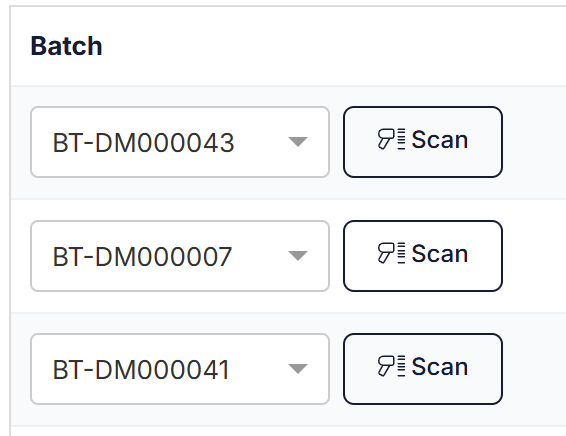
If barcode scanning is switched on in settings then a scan button will be displayed beside the batch select list as follows:
Note, if batch reference is used in a table then only active batches will be returned in the batch dropdown list.