Logo

qtraca.com

Welcome
Login  Sign up
Home Solutions
Login or Signup to submit a new ticket
Check ticket status
Solution home Quality Management Forms

Viewing when and who changed a form Print

Created by: Mike Cook

Modified on: Wed, 1 Sep, 2021 at 5:35 PM


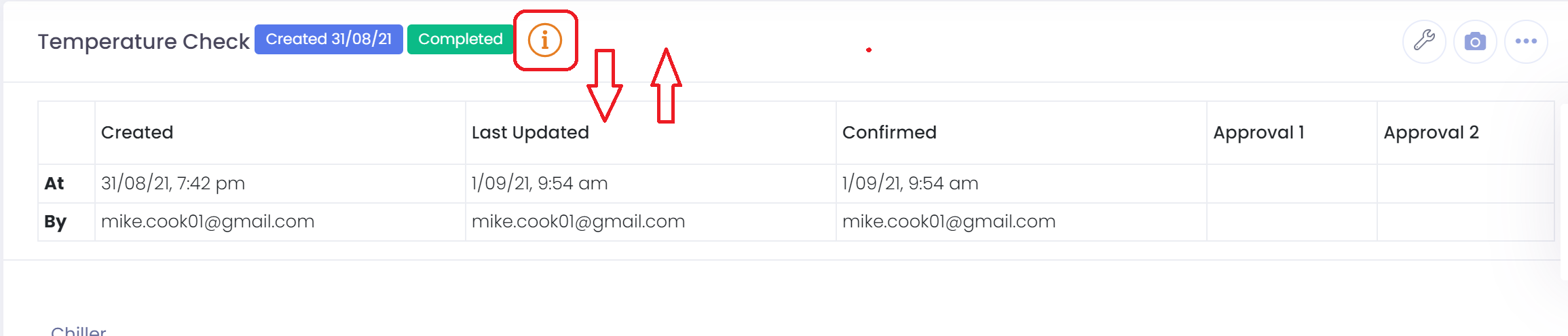
To view who has created, updated, confirmed, or approved a form go to the form and click on the information icon.

The audit panel will be displayed which will show you when and who made changes. 


Actual changes can be viewed by following steps in this link: 

https://qtraca.freshdesk.com/en/support/solutions/articles/47001154776-viewing-form-changes


M
Mike is the author of this solution article.

Did you find it helpful? Yes No

Send feedback
Sorry we couldn't be helpful. Help us improve this article with your feedback.

Related Articles

    Home Solutions Cookie policy
    Help Desk Software by Freshdesk
    Article views count