
A form can be re-activated (moved back to 'Active' status) if it is confirmed, approving, or completed by a user with the 'QA Manager' role.
On the form list screen a 'QA Manager' will see an icon to re-activate a form. Clicking this button will move the form status back to 'Active'. Once at an 'Active' status the form can be modified or deleted.
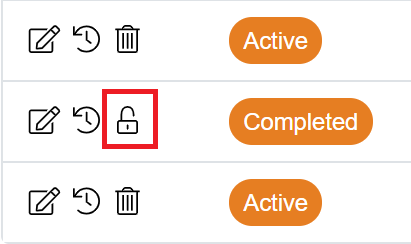
If the form was approved prior to re-activating the approval user and timestamps will be cleared from the form, and the form will be required to go through the approval process again.
Note: Re-Activating a form does not recall any tasks that may be active for the approval of the form. These tasks will remain in the system.
QA Manager Role
The 'QA Manager' role can be assigned to a user through the 'User Management' --> 'Users' menu.
- Select a user and then go to their details.
- Scroll down through the permissions to the 'QA Manager' role and switch on.

- Save user record.