
The project dashboard allows you to:
- Manage tasks related to a specific project
- Add comments to do with the project
- Attach images and documents related to the project
Summary
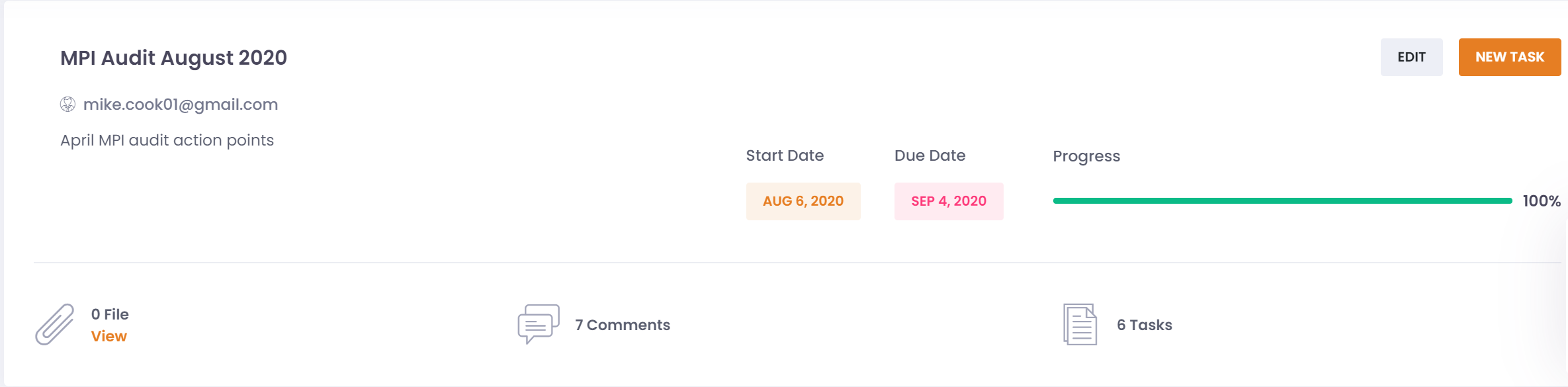
The project summary section gives you an overview of the project. Here you can see:
- Project name, owner and description
- Project start date
- Project due date
- Project progress (number of completed tasks out of total tasks)
- Summary count of files, comments, and tasks held against the project
The base detail of the project, such as name or owner, can be changed by clicking on the 'EDIT' button.
Tasks can be added to the project by clicking on the 'NEW TASK' button.
Comments
Comments can be added to the project here as required.
Tasks
Tasks can be viewed in the task section, and can be viewed or completed from there.