
To use the 'requesting' status for a dispatch turn on the 'Use Dispatch Requested Date and Qty' setting in 'Setup-->Account Settings'

This will enable a user to create a request for an upcoming dispatch. To create an dispatch request perform the following steps:
- Go to Dispatch
- Click the button 'New Dispatch'
- Enter the customer, and the requested date for dispatch
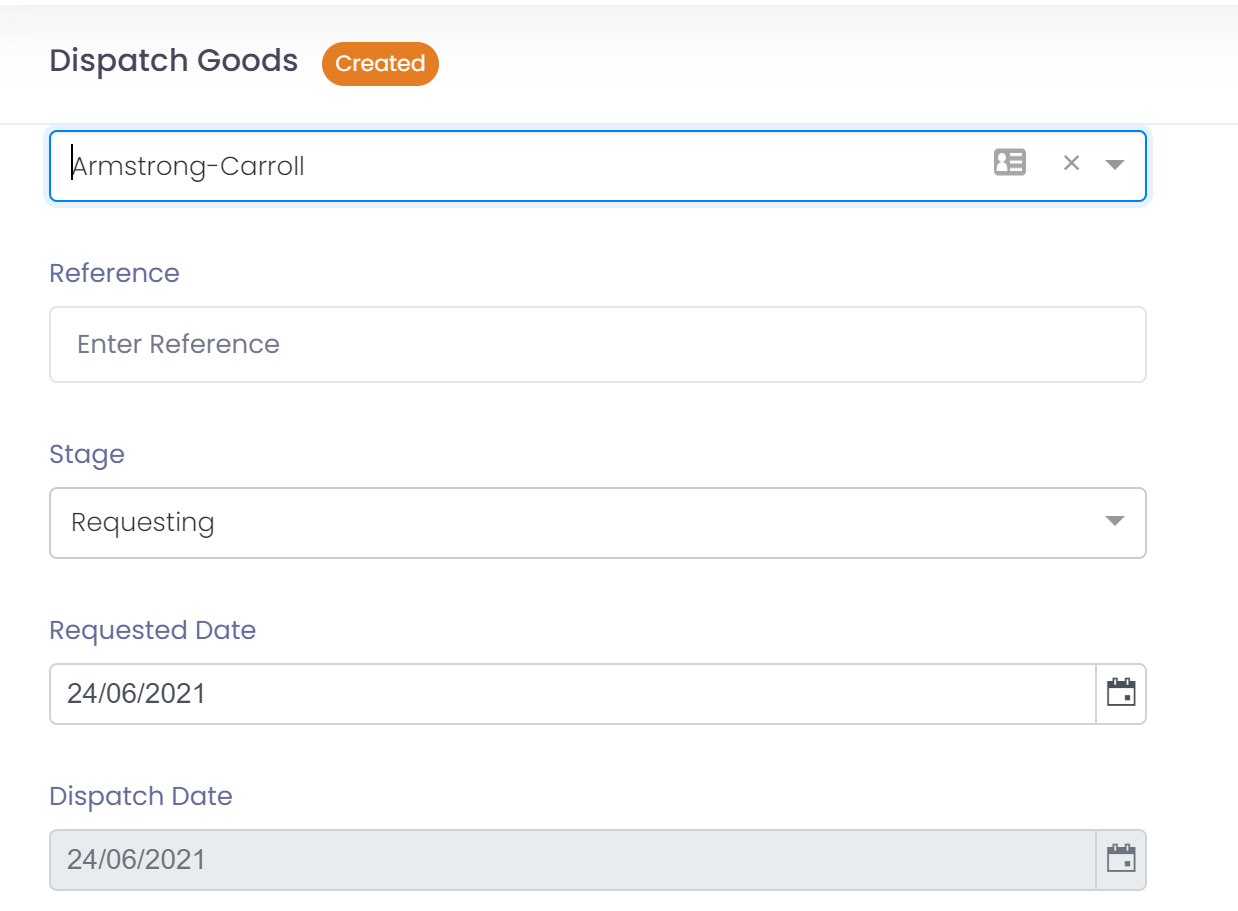
- Click the button 'Save' to save the header record
- Lines will now be available to add, click the button 'New Line'
- Select the product, then enter the requested quantity and unit of measure
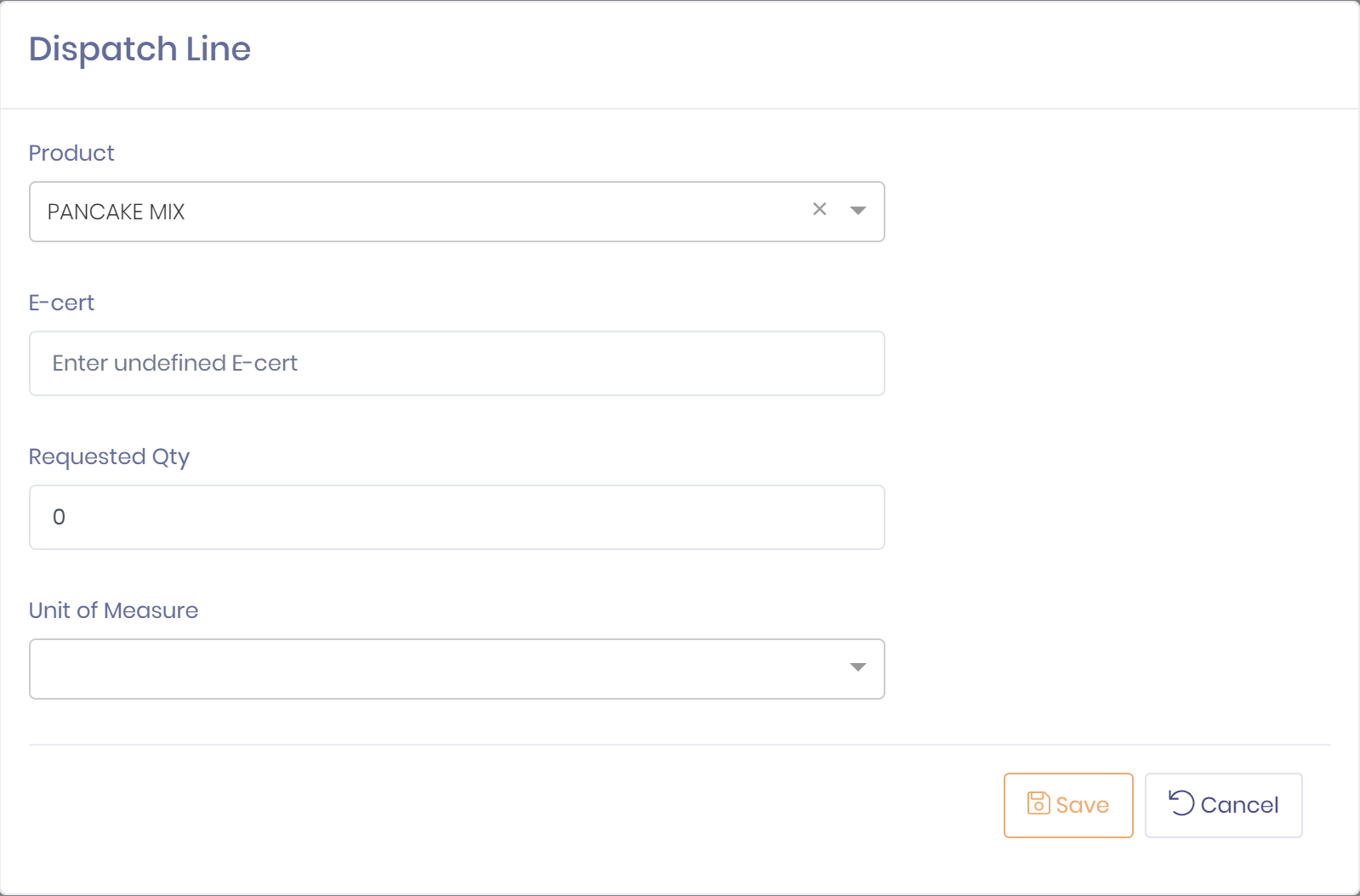
- Click the button 'Save' to save the line.
- Repeat adding lines until you have entered all products required for dispatch