
Inwards goods can be placed into the system ahead of time, when requested.
To do this you should switch this setting on. Go to 'Setup-->Account Settings' and then switch the 'Use Inwards Goods Requested Date and Qty' on, and then save the settings.

To create an inwards goods request perform the following steps:
- Go to Inwards Goods
- Click the button 'New Inwards Good'
- Enter the supplier, a reference, and the requested date to deliver goods
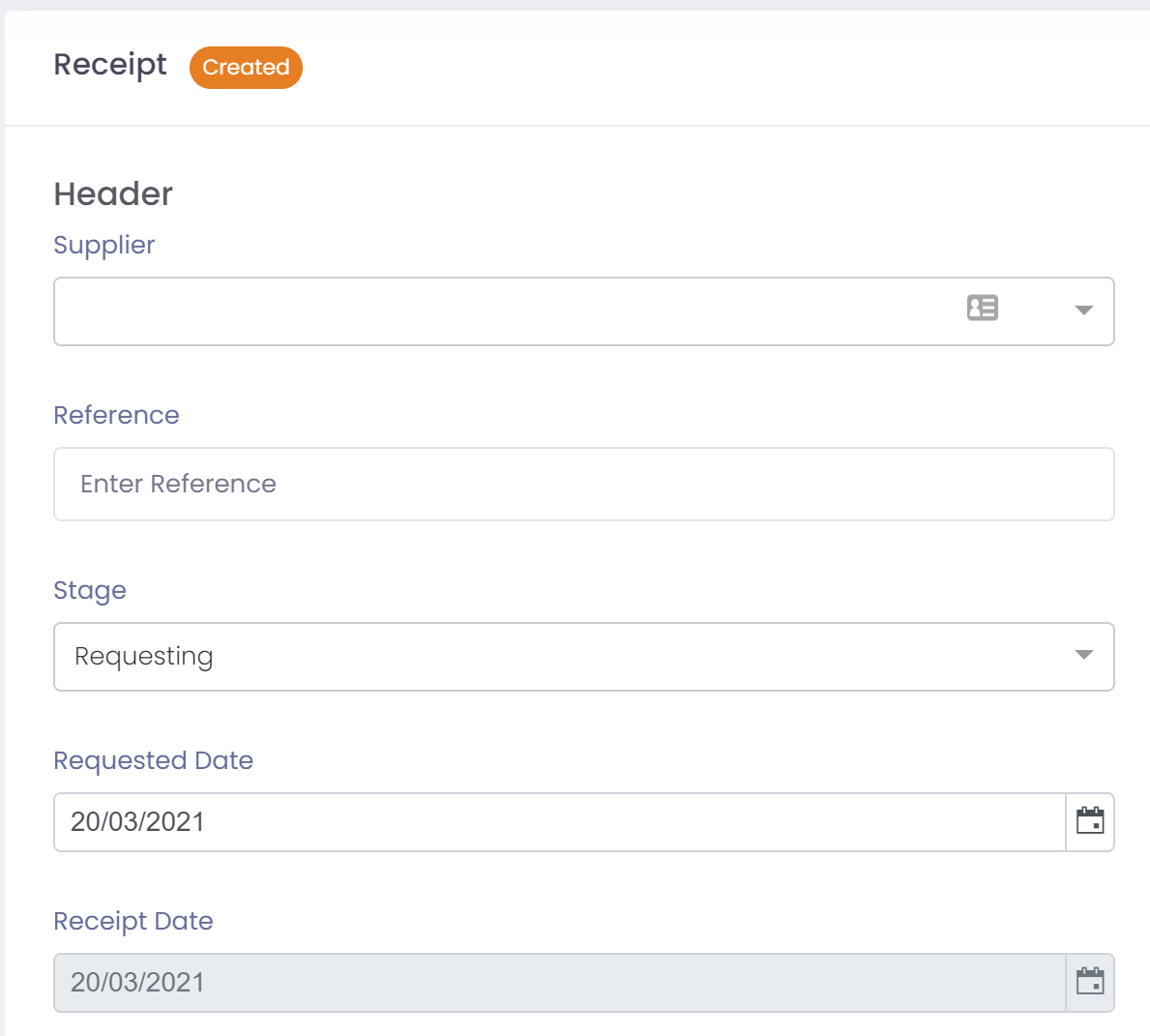
- Leave the Stage at 'Requesting'
- Leave the other fields blank until goods are delivered
- Click the button 'Save' to save the header record
- Lines will now be available to add.
Inwards good Request Lines
Request lines can be used if you would like to be able to handle multiple deliveries against the one request.
Request lines can be switched on using the following feature in 'Account Settings':

- Click the button 'New Line'
- Add the product, requested quantity, and unit of measure
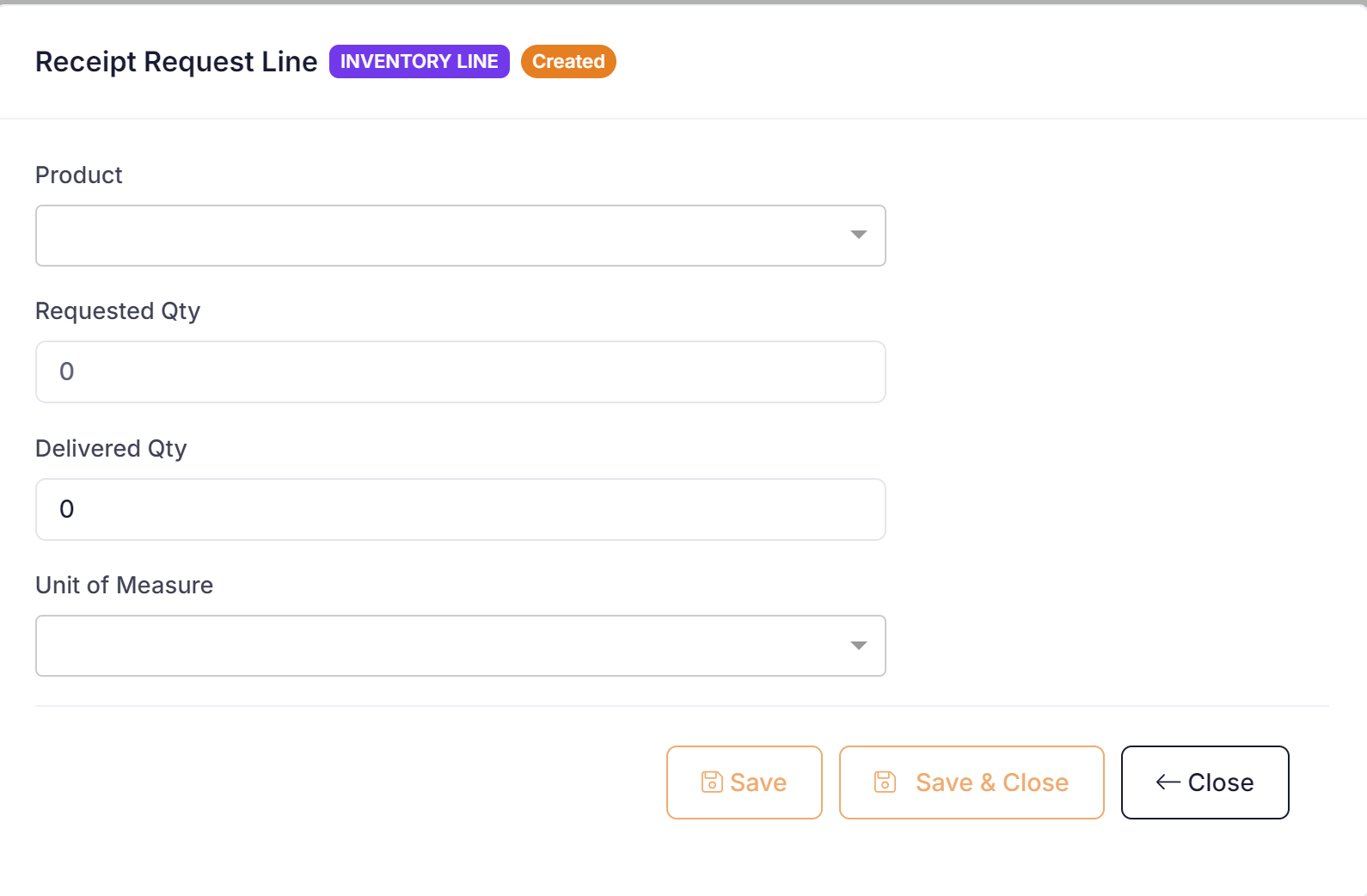
- Click the button 'Save' to save the line.
- Repeat adding lines until you have entered all products being requested
The status of the Inwards goods record will be moved to 'Requested'.
Inwards Good Lines
If you do not require to be able to handle multiple deliveries against the one request then you can just use inwards good lines as follows:
- Click the button 'New Line'
- Add the product, requested quantity, and unit of measure
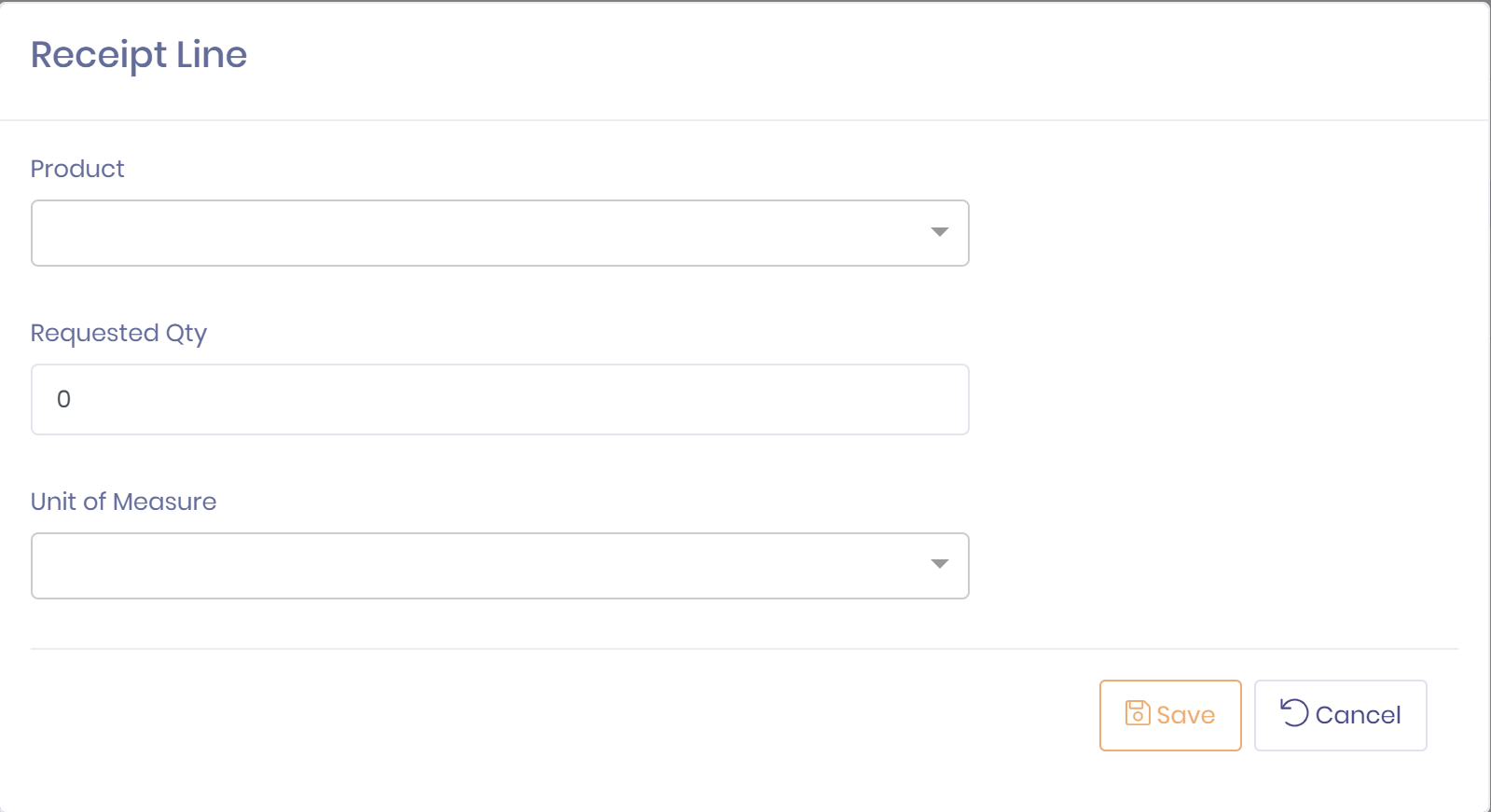
- Click the button 'Save' to save the line.
- Repeat adding lines until you have entered all products being requested
The status of the Inwards goods record will be moved to 'Requested'.