
In order to view stock onhand for a finished good perform the following steps:
- Go to Stock
- Make sure you are on the 'Finished Good' tab

- Select the finished good product you want to view using the 'Product' dropdown select list
The following values are displayed once a product has been selected:
- Ohnand - Total stock onhand for this product.
- Committed - Total stock currently in production batches not yet completed.
- Available - Total available stock potentially available for use. (Onhand + Committed)
- Transaction Table - All stock transactions that have occurred with this product.
Transactions
Transactions are summarised by:
- Location (If in use)
- Traceability Information
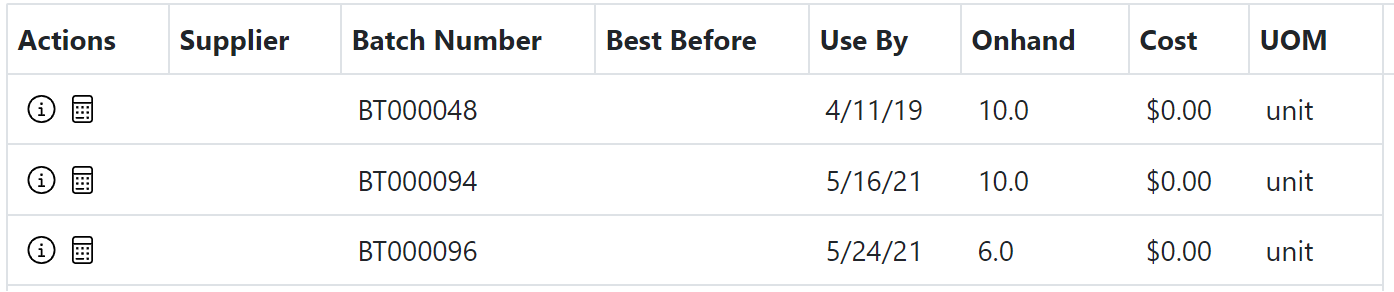
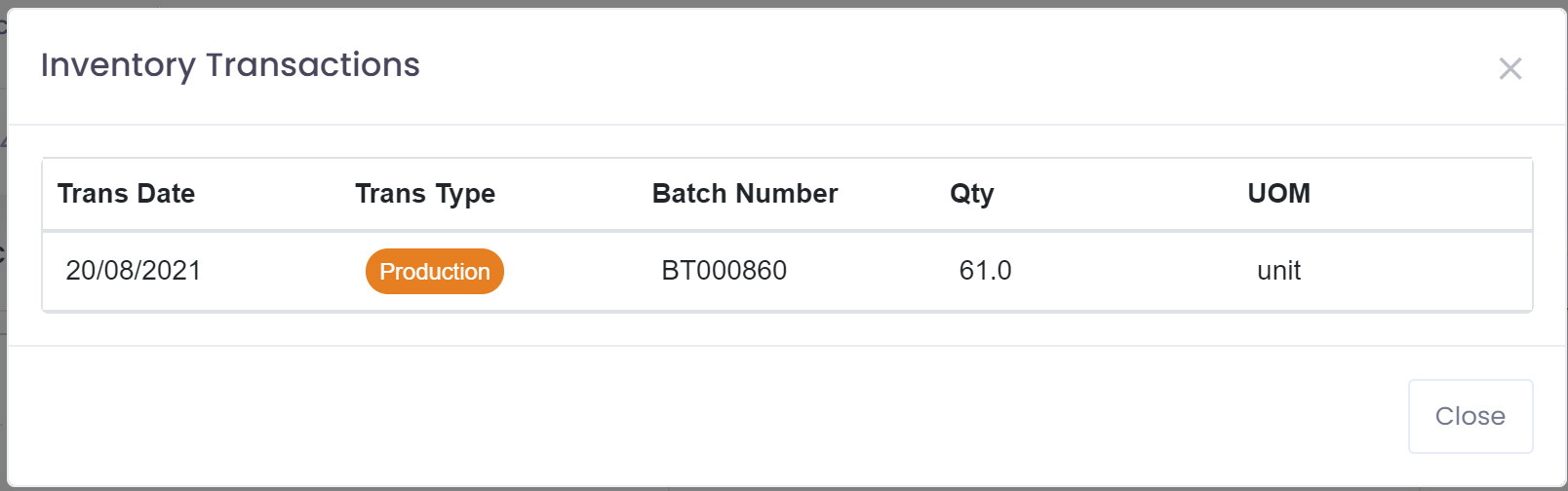
Transaction Detail
Clicking on the information circle  will take the user to a detailed view of all transactions for selected supplier, location, and batch.
Stock Recalculation
 Clicking on the calculator will recalculate the stock on-hand for the selected row. This function can be used if there are any discrepancies in stock such as doubled up rows, or incorrect on-hand.
Barcodes

Clicking on the barcode will show the barcode for this inventory item and allow you to reprint the barcode.
Stock Adjustment
 Clicking on the adjustment icon will prompt for the required adjustment information - Reason, quantity, type of adjustment, and then adjust the stock for selected entry. An adjustment record is created behind the scenes and posted automatically.
Stock Movement
 Clicking on the movement icon will prompt for the required movement information - Location to move to and quantity, and then move the stock to this location. A movement record is created behind the scenes and posted automatically.