QTRACA will run on all modern iOS devices. Always make sure you are running the latest version for the best experience.
We recommend using Safari for the best experience.
QTRACA is classified as a progressive web application, which means it can be run on a phone or a tablet through a web browser, however it can be installed to your home screen and run as an application without having to download it from the AppStore. It is recommended you do this for the best experience.
When you open QTRACA (https://my.qtraca.com) for the first time on Safari you will be prompted to install the application to the home screen.
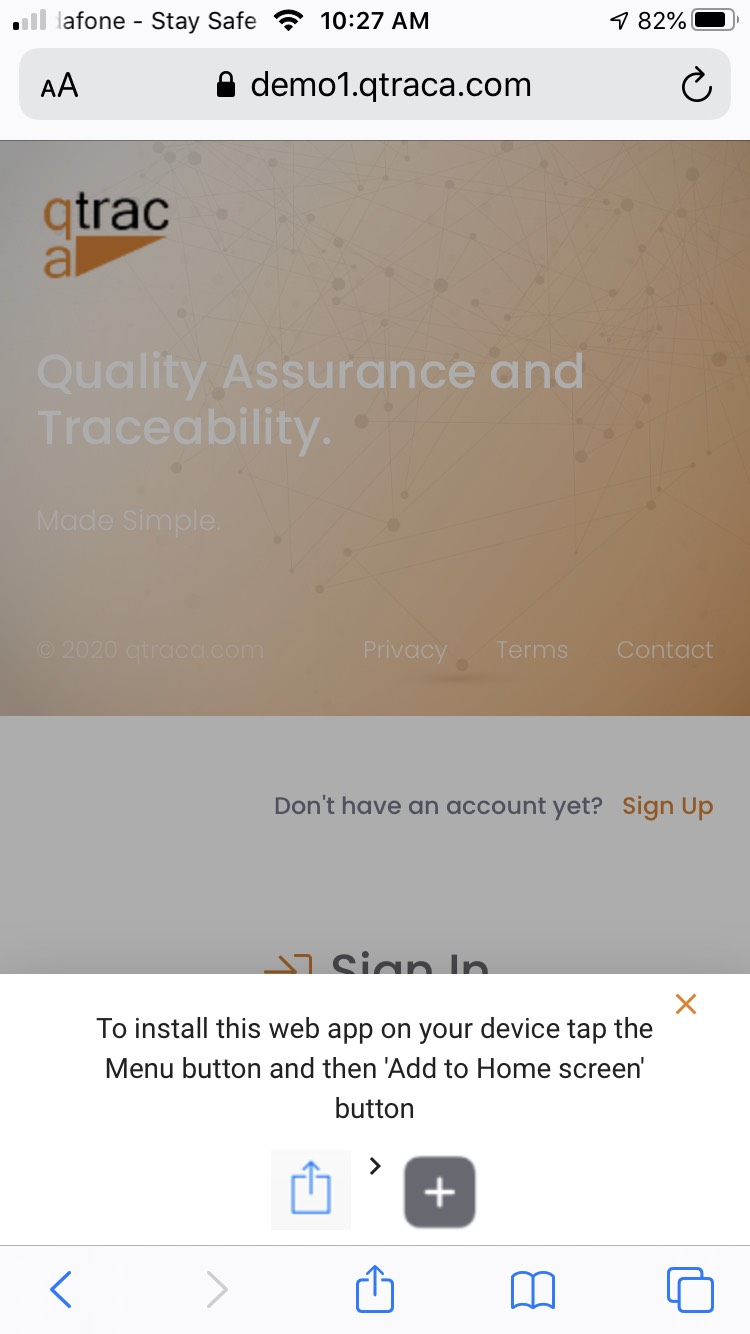

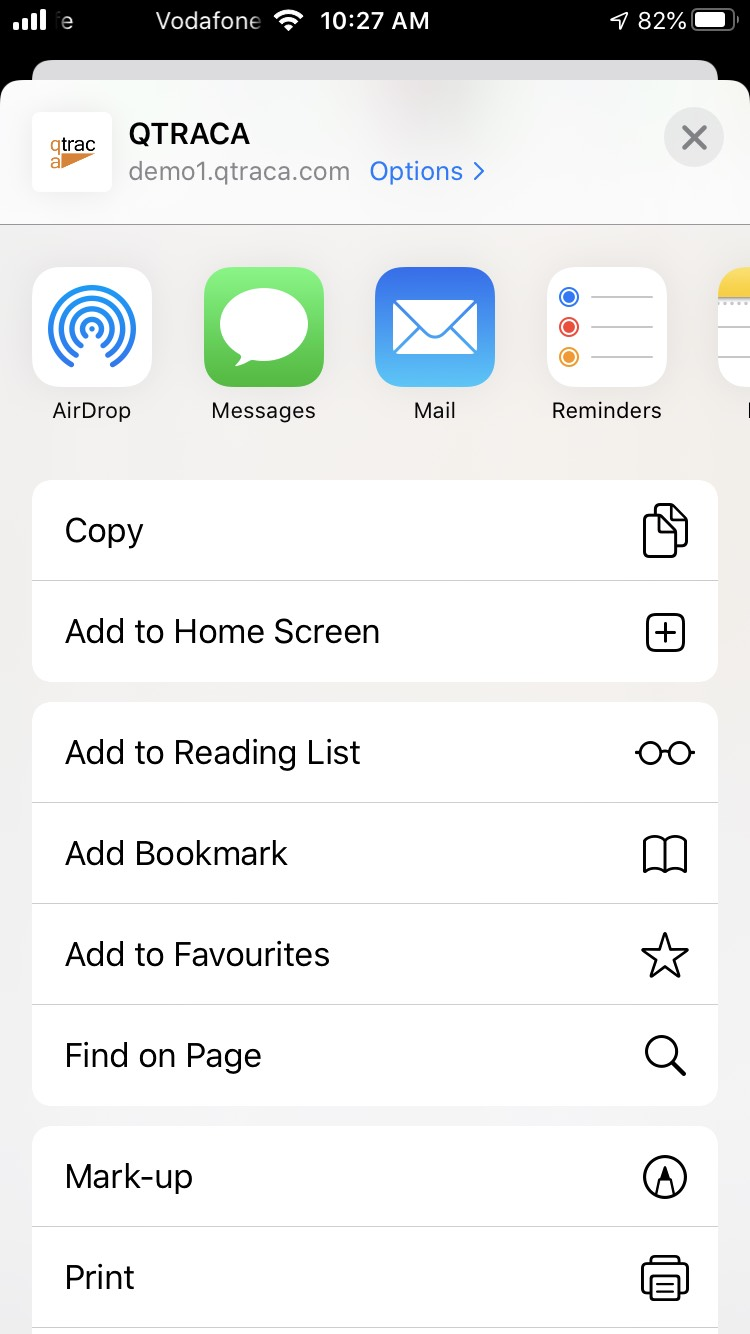
Click on this button to bring up the option menu. From there click on the 'Add to Home Screen' option. If the option is not there scroll down to 'Edit Actions' and then add the 'Add to Home Screen' as an option.
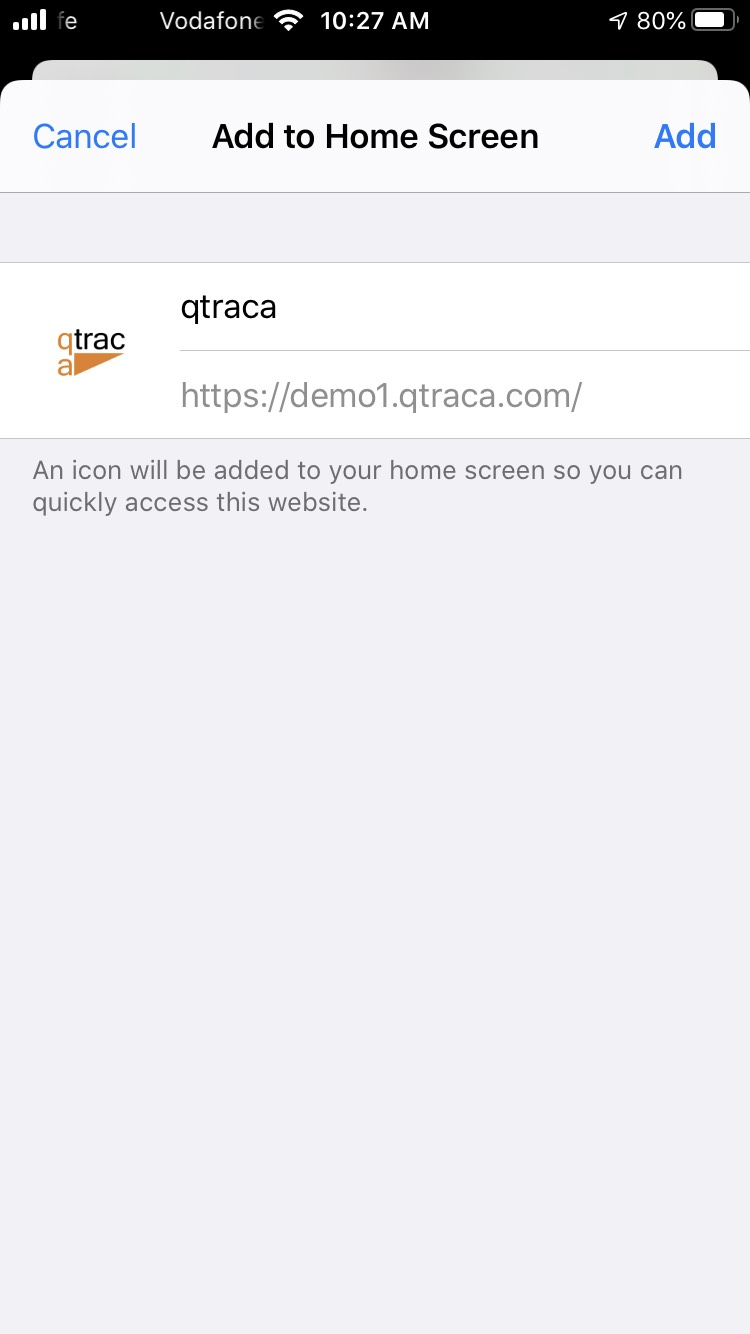
You will now be prompted to add QTRACA to the home screen. Click on 'Add' on the top right of the screen.
QTRACA will now be available on the home screen of your device.